
What's inside
- Why Choosing the Best NAS Drive for Remote Workers Matters
- Best NAS Drive for Remote Workers: Comparison Table
- Synology DS223j NAS
- QNAP TS-233 NAS
- UGREEN DXP2800 NAS
- Synology DS423 NAS
- QNAP TS-464 NAS
- TerraMaster F4-424 Pro NAS
- Synology DS923+ NAS
- Buying Guide: How to Choose the Best NAS Drive for Remote Workers
- More NAS Choices for Remote Workers
- Frequently Asked Questions
As an Amazon Associate I earn from qualifying purchases. This post may contain affiliate links at no extra cost to you.
Choosing the best NAS drive for remote workers can help you store, back up, and share files at home, without relying only on a public cloud service. A NAS, or Network Attached Storage, is a small box with hard drives that connects to your home router, so you can access files from a laptop, phone, or tablet at home or remotely. For a remote worker, a NAS can be a private cloud, a backup for a laptop, and a way to share large files with a team, without paying a monthly cloud fee for every gigabyte.
This guide compares seven real, currently sold NAS drives for remote workers, explains bays, processor, and remote access in plain language, and helps you choose the right NAS for your work, your files, and your budget. Always check whether the price includes drives, and check the processor, RAM, and ports before you buy.
Security and backup are simple but important for remote work. Use a strong, unique password and two-factor authentication for your NAS, keep the NAS software updated, and do not expose the NAS directly to the internet without a secure remote access method. Follow the 3-2-1 backup rule: keep three copies of important files, on two different media, with one copy offsite. Use a UPS if you can, so a power cut does not damage the drives.
Our Top Picks


Why Choosing the Best NAS Drive for Remote Workers Matters
Remote workers often work with large files, such as videos, design files, photos, and backups, which can be slow to upload to a public cloud and expensive to store there. A NAS gives you local storage that is fast on your home network, and remote access that lets you get files when you are away from home. You own the hardware and the drives, so you control who can access the files and how long they are kept.
A NAS also helps with backup. A laptop can be lost, stolen, or damaged, and a single external drive can fail. A NAS with two or more bays can use RAID, which mirrors files across two drives, so if one drive fails, your files are still on the other drive. That is not a replacement for a backup, because RAID does not protect against fire, theft, or ransomware, but it is a good first step for a remote worker who needs reliable storage.
Finally, a NAS can help with collaboration. Many NAS systems let you share a folder with a link, sync files to a laptop, and access files from a phone app. That can be useful if you work with a team, a client, or a family member who needs to see a file. Choose a NAS with a simple app and a clear remote access setup, so you do not need to be an IT expert to use it.
Best NAS Drive for Remote Workers: Comparison Table
The table below compares seven real, currently sold NAS drives for remote workers.
| NAS Drive Model | Bays and Processor | RAM and Ports | Best For |
|---|---|---|---|
| Synology DS223j NAS | 2 bays, Realtek RTD1619B | 1GB RAM, 1GbE, 2x USB 3.2 | Best budget, for remote workers |
| QNAP TS-233 NAS | 2 bays, ARM Cortex-A55 | 2GB RAM, 1GbE, 2x USB 3.2 | Best QNAP, for 2-bay |
| UGREEN DXP2800 NAS | 2 bays, Intel N100 | 8GB RAM, 2.5GbE, 2x USB 3.2 | Best UGREEN, for speed |
| Synology DS423 NAS | 4 bays, Realtek RTD1619B | 2GB RAM, 1GbE, 2x USB 3.2 | Best Synology, for 4-bay |
| QNAP TS-464 NAS | 4 bays, Intel Celeron N5105 | 8GB RAM, 2.5GbE, 2x USB 3.2 | Best QNAP, for 4-bay |
| TerraMaster F4-424 Pro NAS | 4 bays, Intel Core i3-N305 | 32GB RAM, 2.5GbE, 2x USB 3.2 | Best TerraMaster, for power |
| Synology DS923+ NAS | 4 bays, AMD Ryzen R1600 | 4GB RAM, 1GbE, 2x USB 3.2 | Best premium, for remote workers |
Synology DS223j NAS
It is the cheapest NAS in this comparison and a practical starting point if you want a simple, low-cost NAS for a remote worker. It has a Realtek RTD1619B processor, 1 gigabyte of RAM, a 1 gigabit Ethernet port, and two USB 3.2 ports.
Choose this NAS if you need a basic private cloud, a backup for a laptop, and file sharing for one or two people. It is best for documents, photos, and small videos, and for a worker who does not need 4K transcoding or a fast 2.5 gigabit network. Add two hard drives, set up RAID 1 for mirroring, and use Synology QuickConnect for remote access. It is not the best choice if you need a fast processor for video editing or for many users at once.
QNAP TS-233 NAS
It has an ARM Cortex-A55 processor, 2 gigabytes of RAM, a 1 gigabit Ethernet port, and two USB 3.2 ports. It is a good choice if you want a QNAP NAS with a simple setup and a little more RAM than the DS223j.
This NAS is best for a remote worker who wants a 2-bay NAS for backup, file sharing, and media storage. Use two hard drives in RAID 1, and use QNAP myQNAPcloud for remote access. It is a good fit for a home office with one or two users, and for a worker who wants a QNAP app ecosystem. It is not the best choice if you need a 2.5 gigabit port or a fast Intel processor.
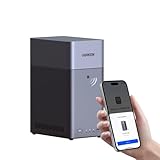
UGREEN DXP2800 NAS
It has an Intel N100 processor, 8 gigabytes of RAM, a 2.5 gigabit Ethernet port, and two USB 3.2 ports. It is a newer NAS that offers a faster processor and a faster network port than many 2-bay NAS drives at a similar price.
Choose this NAS if you want a fast 2-bay NAS for a remote worker who edits videos, works with large files, or wants a 2.5 gigabit network. The Intel N100 processor helps with file transfers and media, and the 8 gigabytes of RAM helps with multitasking. Check the UGREEN software and app before you buy, because it is newer than Synology and QNAP software, and make sure it supports the remote access and backup features you need.
Synology DS423 NAS
It has a Realtek RTD1619B processor, 2 gigabytes of RAM, a 1 gigabit Ethernet port, and two USB 3.2 ports. It is a good choice if you want a 4-bay Synology NAS for more storage and more flexibility than a 2-bay model.
This NAS is best for a remote worker who needs more than 2 bays, for example for a larger photo library, a video archive, or a backup for several laptops. Use four hard drives in RAID 5 for a balance of storage and protection, or RAID 1 with two drives and room to expand later. Use Synology QuickConnect for remote access, and set up a backup to a cloud service or an external drive for offsite protection.
QNAP TS-464 NAS
It has an Intel Celeron N5105 processor, 8 gigabytes of RAM, a 2.5 gigabit Ethernet port, and two USB 3.2 ports. It is a good choice if you want a fast 4-bay NAS for a remote worker who needs more power and a faster network.
Choose this NAS if you work with large files, edit videos, or share files with several people. The Intel processor and 8 gigabytes of RAM help with multitasking, and the 2.5 gigabit port helps with fast file transfers if your router and laptop also support 2.5 gigabit. Use four hard drives in RAID 5, and use QNAP myQNAPcloud for remote access. Check that your network supports 2.5 gigabit before you rely on that speed.
TerraMaster F4-424 Pro NAS
It has an Intel Core i3-N305 processor, 32 gigabytes of RAM, a 2.5 gigabit Ethernet port, and two USB 3.2 ports. It is a powerful NAS for a remote worker who needs a lot of RAM and a fast processor for virtual machines, containers, or media.
This NAS is best for a remote worker who wants a high-performance 4-bay NAS at a mid to high price. The 32 gigabytes of RAM is more than most NAS drives in this guide, which helps with running apps, virtual machines, and a media server at the same time. Check the TerraMaster software before you buy, and make sure it supports the backup, remote access, and app features you need. Add hard drives in RAID 5 for a good balance of storage and protection.
Synology DS923+ NAS
It has an AMD Ryzen R1600 processor, 4 gigabytes of RAM, a 1 gigabit Ethernet port, and two USB 3.2 ports, with an option to add a 10 gigabit card in some versions. It is the most expensive NAS in this comparison, but it is a premium Synology NAS with a strong software ecosystem.
Choose this NAS if you want a premium, reliable NAS for remote work and you are willing to pay more for Synology software, apps, and support. It is a good fit for a remote worker who needs a 4-bay NAS for backup, file sharing, and media, and who wants a NAS that will last for many years. Use four hard drives in RAID 5, set up QuickConnect for remote access, and back up important files offsite. Check the exact ports and expansion options for the model you buy.
Buying Guide: How to Choose the Best NAS Drive for Remote Workers
1. Choose bays by your storage and growth
Start with bays. A 2-bay NAS is enough for a single remote worker who needs a backup and a private cloud for documents and photos, with RAID 1 mirroring for protection. A 4-bay NAS is better if you need more storage, if you work with large videos, or if you want room to grow without buying a new NAS. A 4-bay NAS with RAID 5 gives you more usable storage than a 2-bay NAS with RAID 1, and it can survive one drive failure. Choose 2 bays for a simple setup, and 4 bays if you need more storage or more users.
2. Check processor, RAM, and network speed
Check the processor: an Intel or AMD processor is better for video transcoding, virtual machines, and multitasking than an ARM processor. Check RAM: 2 gigabytes is enough for basic file sharing, 8 gigabytes is better for media and apps, and 32 gigabytes is useful for a power user. Check network speed: a 1 gigabit port is enough for most remote workers, while a 2.5 gigabit port is faster if your router, switch, and laptop also support 2.5 gigabit. Do not pay for a fast port if your network does not support it.
3. Check drives, RAID, and backup
Check whether the price includes hard drives: most NAS prices in this guide are for the enclosure only, so you will need to buy hard drives separately. Choose NAS-rated hard drives, such as a WD Red or Seagate IronWolf, in the size you need, such as 4 terabytes or 8 terabytes per drive. Set up RAID 1 for a 2-bay NAS, or RAID 5 for a 4-bay NAS, for protection against one drive failure. Follow the 3-2-1 backup rule: keep three copies, on two media, with one offsite, using a cloud backup or an external drive stored elsewhere.
4. Check remote access, security, and power
Check remote access: Synology QuickConnect and QNAP myQNAPcloud let you access files remotely without complex router settings, which is useful for a remote worker. Check security: use a strong, unique password, enable two-factor authentication, keep the NAS software updated, and do not expose the NAS directly to the internet. Use a UPS if you can, so a power cut does not damage the drives. Place the NAS in a cool, ventilated place, away from direct sun and dust.
More NAS Choices for Remote Workers
A NAS is a good private file hub for a home office when you want control over your own data. These models suit different comfort levels.
Synology DS223j 2-Bay NAS
An easy, entry-level two-bay NAS that makes file sharing and backups simple.
As an Amazon Associate we earn from qualifying purchases at no extra cost to you.
Synology DS225+ Private Cloud Server
A more capable model with a stronger processor for heavier tasks such as media and multiple users.

UGREEN NAS DH2300 2-Bay
An approachable NAS with phone backup features, a nice fit for first-time users.
Asustor Drivestor 4 Gen 2
A four-bay option for people who want more storage space and room to grow.

Think about how many people will use the box, how much data you generate each month and what you want to back up. Two bays allow mirroring for protection against a drive failure, while four bays give room to grow, and either layout still benefits from a separate off-site copy. Buy NAS-rated drives, and remember that a NAS protects against drive failure but not against accidental deletion.
Frequently Asked Questions
What is the best NAS drive for remote workers?
Choose by bays, processor, and budget, and add hard drives separately.
What is the best budget NAS drive for remote workers?
It has 2 bays, a Realtek processor, 1 gigabyte of RAM, and a 1 gigabit port. It is a good choice for a basic private cloud and backup, but you will need to buy two hard drives separately, and it is not the fastest NAS in this guide.
Do I need hard drives with a NAS?
Yes, most NAS drives in this guide are sold as an enclosure only, without hard drives, so you will need to buy hard drives separately. Choose NAS-rated hard drives, such as a WD Red or Seagate IronWolf, in the size you need. For a 2-bay NAS, buy two drives of the same size for RAID 1. For a 4-bay NAS, buy four drives for RAID 5, or start with two drives and add more later. Check the NAS compatibility list before you buy drives.
Is a NAS better than cloud storage for remote work?
It depends on your needs. A NAS gives you local, fast storage, no monthly fee for storage, and control over your files, which is good for large files and for privacy. Cloud storage, such as Google Drive or Dropbox, gives you easy sharing, automatic backup, and access from anywhere without setting up a NAS, but it has a monthly fee and it depends on your internet speed. Many remote workers use both: a NAS for local storage and backup, and a cloud service for offsite backup and sharing. Follow the 3-2-1 backup rule, and use a strong password and two-factor authentication for both.
The best NAS drive for remote workers is the one that gives you enough storage, a simple remote access setup, and a reliable backup, without being too complex or too expensive. Start with the Synology DS223j for a low-cost, simple NAS, choose the UGREEN DXP2800 for a faster 2-bay NAS, or choose the Synology DS423 for a 4-bay NAS with room to grow. Add NAS-rated hard drives, set up RAID, use a strong password and two-factor authentication, and follow the 3-2-1 backup rule. With the right NAS, your files will be safe, accessible, and under your control.
Related guides
- Best AAA Batteries for Office Remotes in 2026: AAA Batteries for Office Remotes
- Best Budget Tablet for Work Under 100 in 2026: Budget Tablets for Work Under $100, Office Work, and Productivity
- Best Gimbal for Office Vlogging in 2026: 7 Gimbals for Office Vlogging That Keep Your Video Smooth, Stable, and Professional in the Office
- Best Budget NAS Dust Filter for Maintenance in 2026: 7 Budget NAS Dust Filters for Maintenance With Clear Airflow, Simple Install, and Easy Use for NAS
More from Amazon
Programs that pair well with the guide above. Offers and eligibility are set by Amazon and may change.
Free shipping on eligible items, Prime Video and more. Eligible new members can start with a free trial.
Start a Prime free trialAd-free music streaming. Eligible new subscribers can start with a free trial.
Try Music Unlimited freeA Prime membership for ages 18-24 with a trial period. Eligibility is set by Amazon.
See Prime for Young AdultsAudiobooks and podcasts to listen to on the go. Eligible new members can start with a free trial.
Try Audible freeAs an Amazon Associate we earn from qualifying purchases.

Write Your Review
No reviews yet. Be the first to share your experience!