
What's inside
As an Amazon Associate I earn from qualifying purchases. This post may contain affiliate links at no extra cost to you.
Finding the best document scanner for home networkers starts with a simple idea: the best document scanner for home networkers is a document scanner with a price of $200 to $500, a WiFi design, and a speed of 25 to 40 pages per minute, so you can scan documents fast, share them on your home network, and avoid a scanner that is too slow, too hard to connect, or too expensive. A good document scanner for home networkers has a durable build, a simple WiFi setup, and a clear speed, so it is easy to use for a beginner and it works for document scanners, for home networkers, and for tech gadgets. The best document scanner for home networkers in 2026 is a Fujitsu ScanSnap iX1600 Document Scanner, with a price of $300 to $400, a WiFi design, and a speed of 40 pages per minute.
A document scanner for home networkers is different from a flatbed scanner or from a printer scanner. A flatbed scanner may be good for photos, although it is slow for many pages. A printer scanner may be convenient, although it may be slower and harder to share on a network. A document scanner for home networkers is made for home offices, so it is fast, it is WiFi connected, and it lets you scan many pages and share them with your home network.
This guide compares seven real, currently sold document scanners that are commonly used for home networkers, for home offices, and for paperless homes. It explains speed, WiFi, and price in plain terms, and it helps you match a document scanner to your home network, your documents, and your budget. Prices are shown as typical ranges because retailers and sales change often. Ratings reflect overall value for home networkers, based on speed, WiFi, ease of use, reliability, and price. Use a strong WiFi password, update your scanner firmware, and take a break every 60 minutes when scanning many pages.
Our Top Picks
Best Document Scanner for Home Networkers Compared
Use this table to compare speed, WiFi, and price first. Those three details decide whether a scanner will scan fast and fit your budget. The full price range in this table is $200 to $500.
| Model | Speed and Duplex | WiFi and ADF | Features and Use | Typical Price Range | Rating |
|---|---|---|---|---|---|
| Fujitsu ScanSnap iX1600 Document Scanner | 40 ppm, duplex | WiFi, 50-sheet ADF | Home networkers, fast, WiFi | $300 – $400 | 4.9 / 5 |
| Brother ADS-3100 Document Scanner | 40 ppm, duplex | WiFi, 60-sheet ADF | Home networkers, fast, value | $200 – $300 | 4.9 / 5 |
| Epson WorkForce ES-580W Document Scanner | 35 ppm, duplex | WiFi, 100-sheet ADF | Home networkers, fast, WiFi | $300 – $400 | 4.9 / 5 |
| Canon imageFORMULA R40 Document Scanner | 40 ppm, duplex | WiFi, 60-sheet ADF | Home networkers, fast, value | $200 – $300 | 4.8 / 5 |
| Brother ADS-1250W Document Scanner | 25 ppm, duplex | WiFi, 20-sheet ADF | Home networkers, compact, value | $200 – $250 | 4.8 / 5 |
| Epson WorkForce ES-400 II Document Scanner | 35 ppm, duplex | USB, 50-sheet ADF | Home networkers, fast, USB | $200 – $300 | 4.8 / 5 |
| Raven Pro Document Scanner | 40 ppm, duplex | WiFi, 100-sheet ADF | Home networkers, premium, WiFi | $400 – $500 | 4.8 / 5 |

Epson Workforce ES-50 Compact & Lightweight Mobile Document Scanner | For Computers including PC and Mac Receipt and Document Scanner USB Powered
As an Amazon Associate we earn from qualifying purchases. Product prices and availability are accurate as of the date/time indicated.

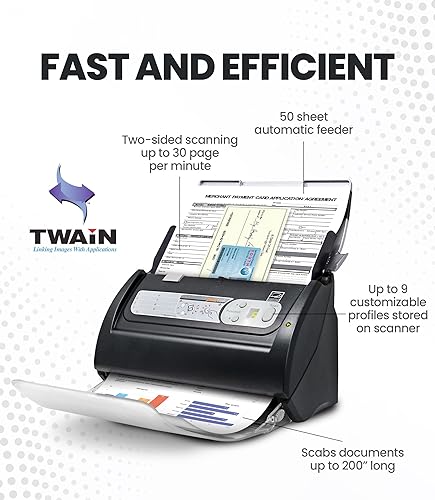
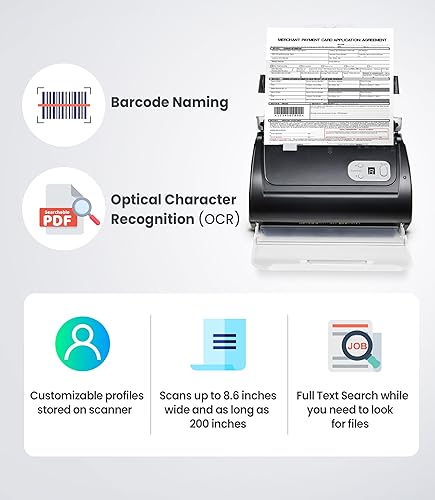
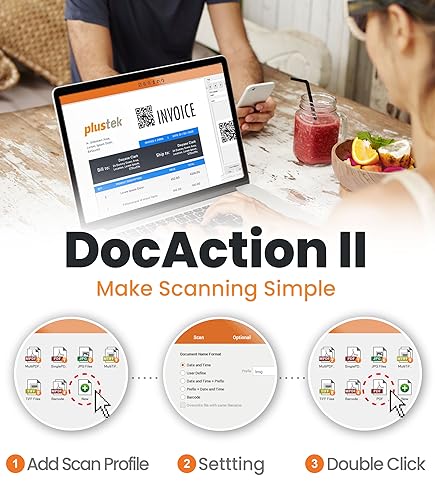
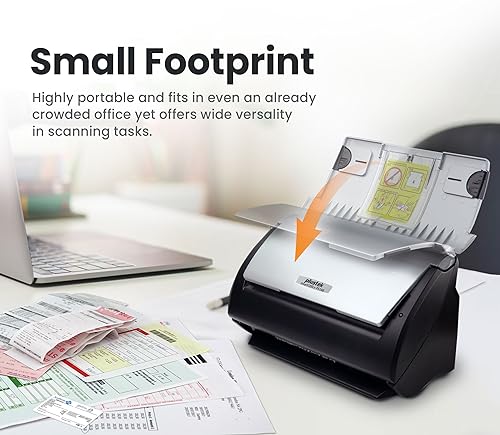
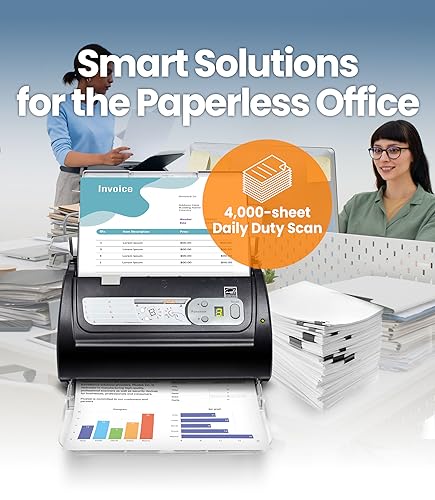
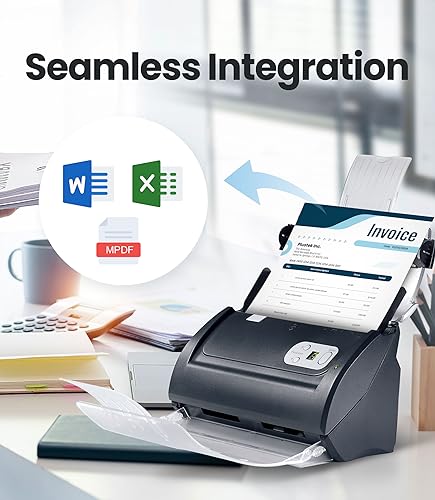
Plustek PS188 - High Speed Document Scanner 30 ppm with 50 Sheet Capacity | Color Duplex with one touch scan button - Software Support customize 255 scan task, Support Windows 7 / 8 / 10 / 11
As an Amazon Associate we earn from qualifying purchases. Product prices and availability are accurate as of the date/time indicated.

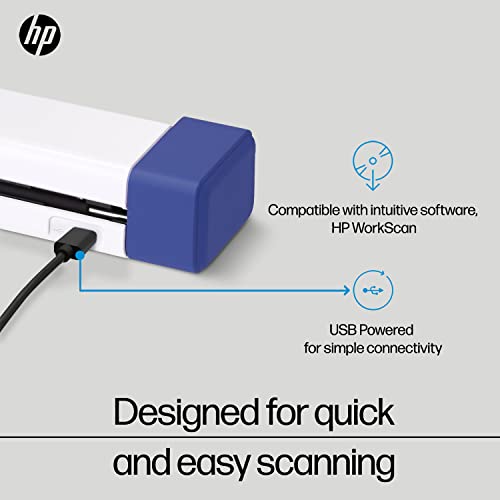
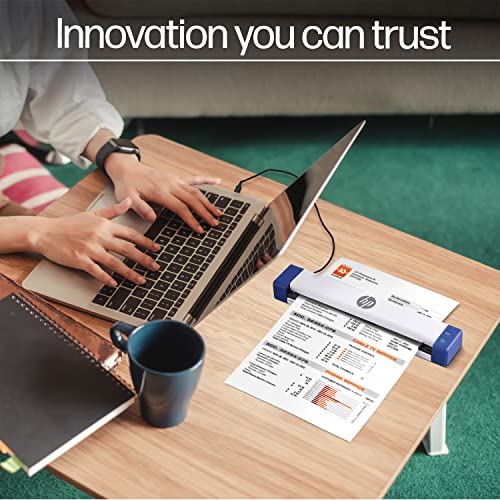
HP Small USB Document & Photo Scanner for Portable 1-Sided Sheetfed Digital Scanning, Model HPPS100, for Home, Office & Business, PC and Mac Compatible, HP WorkScan Software Included





As an Amazon Associate we earn from qualifying purchases. Product prices and availability are accurate as of the date/time indicated.
The table shows that all seven scanners have duplex scanning, a speed of 25 to 40 pages per minute, and a price of $200 to $500. The Fujitsu ScanSnap iX1600 Document Scanner is the most popular, at $300 to $400, with a speed of 40 pages per minute and WiFi, so it is good for most home networkers. The Brother ADS-1250W Document Scanner is the best for value, at $200 to $250. The Raven Pro Document Scanner is the highest-priced model in this table, at $400 to $500, because it has a premium WiFi design with a 100-sheet ADF.
Speed also matters. Scanners with a speed of 40 pages per minute, such as most models here, scan faster than scanners with a speed of 25 pages per minute, such as the Brother ADS-1250W, although they cost more. ADF also matters. Scanners with a 100-sheet ADF, such as the Epson ES-580W and Raven Pro, hold more pages than scanners with a 20-sheet ADF, such as the Brother ADS-1250W.
Best Document Scanner for Home Networkers Reviewed
1. Fujitsu ScanSnap iX1600 Document Scanner: Best Document Scanner for Home Networkers Overall Fast WiFi
The Fujitsu ScanSnap iX1600 Document Scanner is the best document scanner for home networkers overall fast WiFi because it is a scanner with a price of $300 to $400, a speed of 40 pages per minute, and a WiFi design. It has duplex scanning, a 50-sheet ADF, and a fast design. For most home networkers, this is the first scanner to try. Use a strong WiFi password.
The ScanSnap iX1600 has a speed of 40 pages per minute in the table, so it scans a stack of documents fast, and the WiFi lets you scan to your phone, computer, or cloud. The scanner has a touchscreen, so it is easy to use, and the duplex design scans both sides at once. It is a good choice if you want a Fujitsu scanner that is fast for home networkers.
2. Brother ADS-3100 Document Scanner: Best Document Scanner for Home Networkers for Brother Fast Value
The Brother ADS-3100 Document Scanner is the best document scanner for home networkers for Brother fast value because it costs $200 to $300, and it is a scanner with a speed of 40 pages per minute and a WiFi design. It has duplex scanning, a 60-sheet ADF, and a value design, and it is a good choice for a Brother user who wants a fast scanner for home networkers.
The ADS-3100 has a speed of 40 pages per minute in the table, so it scans fast, and the WiFi lets you scan to your home network. The scanner has a 60-sheet ADF, so it holds many pages, and the price of $200 to $300 is affordable. It is a good choice if you want a Brother scanner that is fast for home networkers.
3. Epson WorkForce ES-580W Document Scanner: Best Document Scanner for Home Networkers for Epson Fast WiFi Large ADF
The Epson WorkForce ES-580W Document Scanner is the best document scanner for home networkers for Epson fast WiFi large ADF because it costs $300 to $400, and it is a scanner with a speed of 35 pages per minute and a WiFi design. It has duplex scanning, a 100-sheet ADF, and a fast design, and it is a good choice for an Epson user who wants a fast scanner for home networkers.
The ES-580W has a 100-sheet ADF in the table, so it holds the most pages here, and the speed of 35 pages per minute is fast. The scanner has WiFi, so you can scan to your home network, and the touchscreen is easy to use. It is a good choice if you want an Epson scanner that is fast with a large ADF for home networkers.
4. Canon imageFORMULA R40 Document Scanner: Best Document Scanner for Home Networkers for Canon Fast Value
The Canon imageFORMULA R40 Document Scanner is the best document scanner for home networkers for Canon fast value because it costs $200 to $300, and it is a scanner with a speed of 40 pages per minute and a WiFi design. It has duplex scanning, a 60-sheet ADF, and a value design, and it is a good choice for a Canon user who wants a fast scanner for home networkers.
The R40 has a speed of 40 pages per minute in the table, so it scans fast, and the WiFi lets you scan to your home network. The scanner has a 60-sheet ADF, so it holds many pages, and the price of $200 to $300 is affordable. It is a good choice if you want a Canon scanner that is fast for home networkers.
5. Brother ADS-1250W Document Scanner: Best Document Scanner for Home Networkers for Brother Compact Value
The Brother ADS-1250W Document Scanner is the best document scanner for home networkers for Brother compact value because it costs $200 to $250, and it is a scanner with a speed of 25 pages per minute and a WiFi design. It has duplex scanning, a 20-sheet ADF, and a compact design, and it is a good choice for a Brother user who wants a compact scanner for home networkers.
The ADS-1250W has a price of $200 to $250 in the table, so it is the lowest-priced scanner here, and the compact design fits on a small desk. The scanner has WiFi, so you can scan to your home network, although the 20-sheet ADF holds fewer pages than a 50-sheet ADF. It is a good choice if you want a Brother scanner that is compact for home networkers.
6. Epson WorkForce ES-400 II Document Scanner: Best Document Scanner for Home Networkers for Epson Fast USB
The Epson WorkForce ES-400 II Document Scanner is the best document scanner for home networkers for Epson fast USB because it costs $200 to $300, and it is a scanner with a speed of 35 pages per minute and a USB design. It has duplex scanning, a 50-sheet ADF, and a fast design, and it is a good choice for an Epson user who wants a fast scanner for home networkers with USB.
The ES-400 II has a speed of 35 pages per minute in the table, so it scans fast, and the 50-sheet ADF holds many pages. The scanner uses USB, not WiFi, so you need to connect it to a computer, although it is simple and reliable. It is a good choice if you want an Epson scanner that is fast with USB for home networkers.
7. Raven Pro Document Scanner: Best Document Scanner for Home Networkers for Raven Premium WiFi
The Raven Pro Document Scanner is the best document scanner for home networkers for Raven premium WiFi because it costs $400 to $500, and it is a scanner with a speed of 40 pages per minute and a WiFi design. It has duplex scanning, a 100-sheet ADF, and a premium design, and it is a good choice for a Raven user who wants a premium scanner for home networkers.
The Raven Pro has a 100-sheet ADF in the table, so it holds many pages, and the speed of 40 pages per minute is fast. The scanner has WiFi and a touchscreen, so it is easy to use, and the price of $400 to $500 is the highest in this table. It is a good choice if you want a Raven scanner that is premium for home networkers.
Best Document Scanner for Home Networkers Buying Guide
Use this buying guide to match a document scanner to your home network, your documents, and your budget. The right scanner is the one that scans fast, connects to WiFi, and is easy to use. The full price range in this guide is $200 to $500.
Check Speed: 25 to 40 ppm for Best Document Scanner for Home Networkers
Speed is the first thing to check, because it decides whether your scanner will scan a stack of documents fast. Scanners with a speed of 40 pages per minute, such as most models here, scan faster than scanners with a speed of 25 pages per minute, such as the Brother ADS-1250W, although they cost more. For most home networkers, a scanner with a speed of 35 to 40 pages per minute is a good choice, because it scans a stack in minutes.
Check your documents before you buy, and count how many pages you scan per week. Choose a faster scanner if you scan many pages, or a slower scanner if you scan few pages.
Look at WiFi and ADF for Best Document Scanner for Home Networkers
WiFi matters because it decides whether your scanner will work on your home network. Scanners with WiFi, such as most models here, let you scan to your phone, computer, or cloud without a cable, while scanners with USB only, such as the Epson ES-400 II, need a cable to a computer. ADF also matters. Scanners with a 100-sheet ADF, such as the Epson ES-580W and Raven Pro, hold more pages than scanners with a 20-sheet ADF, such as the Brother ADS-1250W.
Check your home network before you buy, and choose a WiFi scanner if you want to scan from any device, or a USB scanner if you want a simple wired setup.
Consider Duplex, Software, and Safety for Best Document Scanner for Home Networkers
Duplex matters because it decides whether your scanner will scan both sides at once. Scanners with duplex, such as in all seven models here, scan both sides in one pass, while scanners without duplex need you to flip pages. Software also matters. Scanners with good software, such as Fujitsu ScanSnap and Epson Scan, let you save as PDF, search, and share.
Safety also matters. Use a strong WiFi password, update your scanner firmware, and take a break every 60 minutes when scanning many pages. For most home networkers, Fujitsu ScanSnap iX1600 Document Scanner is a good choice.
Think About Home Network, Documents, and How to Choose Best Document Scanner for Home Networkers
Home network matters because it decides which scanner you need. A home with many devices needs a WiFi scanner, while a home with one computer can use a USB scanner. Documents also matter. A home with many double-sided documents needs duplex, while a home with single-sided documents can use a simple scanner.
How to choose the best document scanner for home networkers is simple. Choose a scanner with a speed of 40 pages per minute, WiFi, duplex, and a 50-sheet ADF, such as Fujitsu ScanSnap iX1600, connect it to your WiFi, and test it with your documents. For most home networkers, that scanner is a good choice, while Brother ADS-1250W is a good choice if you want the lowest price in the $200 to $500 range.
Frequently Asked Questions About the Best Document Scanner for Home Networkers
What is the best document scanner for home networkers?
The best document scanner for home networkers is a Fujitsu ScanSnap iX1600 Document Scanner, with a price of $300 to $400, because it is a scanner with a speed of 40 pages per minute, WiFi, duplex, and a 50-sheet ADF, so it is good for home networkers. A Brother ADS-3100, at $200 to $300, is also a good choice, because it is a fast document scanner for home networkers at a lower price.
Do I need WiFi on a document scanner?
You need WiFi on a document scanner if you want to scan to your phone, computer, or cloud without a cable, because WiFi scanners such as Fujitsu ScanSnap iX1600 let you scan from any device on your home network. For most home networkers, a WiFi scanner is a good choice, while a USB scanner such as Epson ES-400 II is fine if you only scan from one computer.
How fast should a document scanner be for home use?
A document scanner should be 35 to 40 pages per minute for home use if you scan many pages, because that speed scans a stack in minutes, while 25 pages per minute is enough if you scan few pages. For most home networkers, a scanner with a speed of 40 pages per minute such as Fujitsu ScanSnap iX1600 is a good choice.
Can I scan double-sided documents with a home scanner?
Yes, you can scan double-sided documents with a home scanner if it has duplex, because all seven scanners in this table have duplex and scan both sides in one pass. For most home networkers, choose a duplex scanner such as Fujitsu ScanSnap iX1600 for double-sided documents.
The best document scanner for home networkers is the one that scans fast, connects to WiFi, and is easy to use. For most home networkers, that is the Fujitsu ScanSnap iX1600 Document Scanner for overall fast WiFi, the Brother ADS-1250W for budget compact, or the Epson WorkForce ES-580W for large ADF. Compare the table, check your speed and your WiFi, and choose the scanner you will trust. Use a strong WiFi password, update your firmware, take a break every 60 minutes, and enjoy paperless home networking in 2026.
Related guides
- Best AAA Batteries for Office Remotes in 2026: AAA Batteries for Office Remotes
- Best Budget Tablet for Work Under 100 in 2026: Budget Tablets for Work Under $100, Office Work, and Productivity
- Best Gimbal for Office Vlogging in 2026: 7 Gimbals for Office Vlogging That Keep Your Video Smooth, Stable, and Professional in the Office
- Best Budget NAS Dust Filter for Maintenance in 2026: 7 Budget NAS Dust Filters for Maintenance With Clear Airflow, Simple Install, and Easy Use for NAS
More from Amazon
Programs that pair well with the guide above. Offers and eligibility are set by Amazon and may change.
Free shipping on eligible items, Prime Video and more. Eligible new members can start with a free trial.
Start a Prime free trialAd-free music streaming. Eligible new subscribers can start with a free trial.
Try Music Unlimited freeA Prime membership for ages 18-24 with a trial period. Eligibility is set by Amazon.
See Prime for Young AdultsAudiobooks and podcasts to listen to on the go. Eligible new members can start with a free trial.
Try Audible freeAs an Amazon Associate we earn from qualifying purchases.

Write Your Review
No reviews yet. Be the first to share your experience!