
What's inside
As an Amazon Associate I earn from qualifying purchases. This post may contain affiliate links at no extra cost to you.
A lunch break is not a long gaming session. You have 20 to 40 minutes, you need a console that turns on fast, resumes your game instantly, and lets you stop without losing progress. The best gaming console for lunch breaks is not the most powerful console, and it is not the console with the best graphics. It is the console that fits your break, your desk, and your games, and that you can pick up, play, and put down without a long boot time, a long update, or a complicated setup.
For most office workers, the best overall choice in 2026 is the Nintendo Switch OLED. It typically costs $300 to $350. It turns on instantly, resumes games from sleep in seconds, has a bright 7-inch OLED screen, and has hundreds of games that work well in short sessions, like Mario Kart, Animal Crossing, and indie roguelikes. If you want the newest Nintendo hardware, the Nintendo Switch 2 is the best upgrade, typically $400 to $450, with a larger 7.9-inch screen and faster loading. For PC games on a lunch break, the Steam Deck OLED is the best choice, typically $500 to $600, with a 7.4-inch OLED screen and access to your Steam library.
This guide compares seven real, currently sold gaming consoles and handhelds that work well for lunch breaks. It explains why quick resume, sleep mode, and portable play matter more than raw power for a short break, how to choose between a Nintendo handheld, a PC handheld, and a home console, and how to set up a lunch-break gaming routine that does not eat into your work time.
Our Top Picks
 Tiny Arcade Atari 2600 Mini Console 3.5” PlayableMiniature7.33 x 1.5 x 3.1 inches0.4 poundsCheck on Amazon
Best Gaming Console for Lunch Breaks Compared: Quick Comparison Table
Use this table to compare the best gaming console for lunch breaks at a glance. Prices are typical retail ranges, not fixed prices, and will vary by retailer and storage size. Ratings are editorial scores out of five based on speed to play, portability, game library for short sessions, battery life, and value for lunch breaks.
| Model | Key Specs | Best For | Typical Price Range | Rating |
|---|---|---|---|---|
| Nintendo Switch OLED | 7 in OLED, 64GB, 4.5-9 hr battery, handheld / docked | Best overall for lunch breaks | $300–$350 | 4.9 / 5 |
| Nintendo Switch 2 | 7.9 in LCD, 256GB, 2-6.5 hr battery, handheld / docked | Best newest Nintendo | $400–$450 | 4.8 / 5 |
| Steam Deck OLED | 7.4 in OLED, 512GB / 1TB, 3-12 hr battery, PC handheld | Best for PC games | $500–$600 | 4.8 / 5 |
| ASUS ROG Ally X | 7 in LCD, 1TB, Windows, 80Wh battery | Best Windows handheld | $700–$800 | 4.7 / 5 |
| Lenovo Legion Go | 8.8 in LCD, 512GB / 1TB, Windows, detachable controllers | Best large-screen handheld | $600–$700 | 4.7 / 5 |
| PlayStation Portal | 8 in LCD, streams PS5, Wi-Fi, 1080p | Best for PS5 owners | $180–$200 | 4.6 / 5 |
| Xbox Series S | 512GB, 1440p, Quick Resume, home console | Best home console for breaks | $250–$300 | 4.6 / 5 |
Tiny Arcade Atari 2600 Mini Console 3.5” Playable Retro TV & Controller with 10 Classic Games Including Pac-Man & Breakout -Portable Vintage Gaming System w/ Sound - Gift for Kids & Adults Ages 8+


As an Amazon Associate we earn from qualifying purchases. Product prices and availability are accurate as of the date/time indicated.
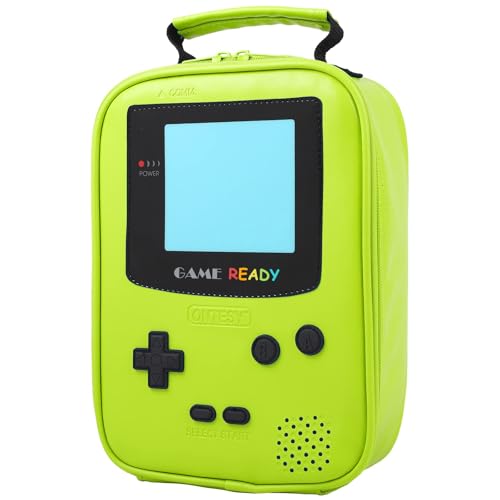
ONTESY Boys Lunch Box Retro Console Premium Leather Waterproof Insulated Tote Bag Thermal Insulation Cooler for Adults Kids to Work Picnic of Back-to-school, Birthday, Christmas & Gamers (Green)




As an Amazon Associate we earn from qualifying purchases. Product prices and availability are accurate as of the date/time indicated.

Gaming 70'S Gamepads Consoles Starbursts Retro Design Gamer Fun Soft and Comfortable Four Season Sofa Blanket 40"X30"


As an Amazon Associate we earn from qualifying purchases. Product prices and availability are accurate as of the date/time indicated.
Best Gaming Console for Lunch Breaks in 2026: Detailed Reviews
Each console below suits a different lunch-break gamer. Some are best for Nintendo games in short bursts, others are best for PC games you already own, and some are best for streaming a home console to a handheld. Read the sleep, resume, and battery notes, because those three factors affect lunch-break gaming more than graphics alone.
1. Nintendo Switch OLED — Best Gaming Console for Lunch Breaks Overall
The Nintendo Switch OLED is the best overall console for lunch breaks because it is designed for short, pick-up-and-play sessions. Press the power button, and the console wakes from sleep in seconds, right where you left off. There is no long boot, no login screen, and no update that blocks you from playing, as long as you keep the console updated overnight.
The 7-inch OLED screen is bright, colourful, and easy to see in an office, a break room, or a car. Battery life is 4.5 to 9 hours, depending on the game, which is enough for many lunch breaks without charging. The Switch OLED has a 64GB internal storage, which you can expand with a microSD card, and it works handheld, on a table with a kickstand, or docked to a TV. Games like Mario Kart 8 Deluxe, Animal Crossing, Hades, and Stardew Valley are perfect for 20-minute sessions, because you can save, pause, or finish a race quickly.
Why we like this console: instant resume, bright OLED screen, excellent short-session games, and good battery life. Consider: it is not as powerful as a Steam Deck for PC games, and the 64GB storage fills up quickly without a microSD card.
2. Nintendo Switch 2 — Best Newest Gaming Console for Lunch Breaks
The Nintendo Switch 2 is the successor to the Switch OLED, with a larger 7.9-inch screen, 256GB of internal storage, and faster loading. It plays new Switch 2 games and most original Switch games, so you can keep your library and upgrade when you are ready. The larger screen makes a real difference for lunch-break play, especially for games with small text or detailed graphics.
Battery life is 2 to 6.5 hours, depending on the game, which is shorter than the Switch OLED, because the larger screen and faster hardware use more power. It typically costs $400 to $450. For office workers who want the newest Nintendo hardware and a larger screen, the Switch 2 is the best choice, but the Switch OLED remains a better value if you want longer battery life and a lower price.
Why we like this console: larger 7.9-inch screen, more storage, and faster loading. Consider: shorter battery life than Switch OLED, and higher price.
3. Steam Deck OLED — Best Gaming Console for Lunch Breaks for PC Games
The Steam Deck OLED is the best handheld for PC gamers who want to play their Steam library on a lunch break. It has a 7.4-inch OLED screen, a 512GB or 1TB SSD, and a battery life of 3 to 12 hours, depending on the game and settings. It runs SteamOS, it resumes games from sleep quickly, and it lets you play PC games that are not available on Nintendo, like Baldur Gate 3, Elden Ring, and indie PC games.
It typically costs $500 to $600, depending on storage. The Steam Deck OLED is larger and heavier than a Switch, so it is less comfortable to hold for long periods, but for a 20-minute lunch break, it is excellent. The OLED screen is bright and colourful, and the controls are comfortable for most hands. Most grips are not dockable, so remove a grip before docking if you use one.
Why we like this console: access to Steam library, bright OLED screen, and good battery life. Consider: larger and heavier than a Switch, and some PC games need tweaking to run well.
4. ASUS ROG Ally X — Best Windows Gaming Console for Lunch Breaks
The ASUS ROG Ally X is a Windows handheld with a 7-inch screen, 1TB of storage, and an 80Wh battery that lasts longer than the original ROG Ally. It runs Windows 11, so you can play games from Steam, Xbox Game Pass, Epic Games Store, and other PC stores, all on one device. It is more powerful than the Steam Deck for some games, and it has a familiar Windows interface if you already use a PC for work.
It typically costs $700 to $800, making it the most expensive handheld in this list. For lunch breaks, the ROG Ally X is best if you want a Windows PC in handheld form and you already subscribe to Xbox Game Pass. The trade-off is that Windows can be less convenient than SteamOS for quick resume, because Windows updates and background tasks can interrupt a short session. Keep Windows updated overnight to avoid delays at lunch.
Why we like this console: Windows gaming, large 1TB storage, and long battery life. Consider: higher price, and Windows is less streamlined than SteamOS for quick play.
5. Lenovo Legion Go — Best Large-Screen Gaming Console for Lunch Breaks
The Lenovo Legion Go has an 8.8-inch screen, the largest in this list, with detachable controllers that can be used as a mouse for FPS games. It runs Windows, has 512GB or 1TB of storage, and it is a good choice if you want a large screen for lunch-break gaming and you do not mind a larger, heavier handheld.
It typically costs $600 to $700. The large screen makes games easier to see, especially for older gamers or for games with small text. The detachable controllers are a unique feature, but they also make the device heavier and less comfortable to hold for long periods. For a 20-minute break, the Legion Go is excellent, especially if you play at a desk with the kickstand.
Why we like this console: large 8.8-inch screen, detachable controllers, and Windows gaming. Consider: larger and heavier than a Switch, and battery life is shorter than the Steam Deck OLED.
6. PlayStation Portal — Best Gaming Console for Lunch Breaks for PS5 Owners
The PlayStation Portal is not a standalone console. It is a handheld that streams games from your PlayStation 5 over Wi-Fi, with an 8-inch LCD screen and a 1080p display. It typically costs $180 to $200, making it the cheapest handheld in this list if you already own a PS5.
For lunch breaks at the office, the Portal only works if you have a good Wi-Fi connection and your PS5 is on at home in rest mode. If you work from home, or if your office Wi-Fi is strong and your PS5 is on, the Portal lets you play PS5 games like Spider-Man 2, God of War, and indie games on a handheld, without needing a TV. If you do not own a PS5, or if your Wi-Fi is weak, the Portal is not a good choice. It does not play games on its own, it only streams them.
Why we like this console: affordable for PS5 owners, large 8-inch screen, and good for streaming. Consider: requires a PS5 and strong Wi-Fi, and it does not play games without streaming.
7. Xbox Series S — Best Home Gaming Console for Lunch Breaks
The Xbox Series S is the best home console for lunch breaks if you play at a desk or in a break room with a TV or monitor. It has Quick Resume, which lets you switch between multiple games instantly without reloading, and it has a 512GB SSD that loads games quickly. It typically costs $250 to $300.
For lunch breaks, Quick Resume is the key feature. You can pause a game, switch to another game, and switch back later without losing progress. The Series S is small, quiet, and easy to set up on a desk with a monitor. It is not portable like a Switch or Steam Deck, so it is best if you have a dedicated gaming spot at work or at home, and you want to play Xbox games like Forza, Halo, and Game Pass titles in short sessions.
Why we like this console: Quick Resume, fast loading, and affordable. Consider: not portable, and 512GB storage fills up quickly without an expansion card.
Best Gaming Console for Lunch Breaks Buying Guide: How to Choose the Right Console
Choosing a gaming console for lunch breaks is not about finding the most powerful console. It is about finding a console that fits your break length, your games, and your workspace. A console that is perfect for a long evening session can be wrong for a 20-minute lunch, and a console that is perfect for a commute can be wrong for a desk. Use the three questions below to narrow your choice before you look at price.
Quick Resume, Sleep Mode, and Session Length: Why Speed to Play Matters Most
Speed to play is the most important feature for lunch-break gaming. You need a console that wakes from sleep in seconds, resumes your game instantly, and lets you pause and save quickly. The Nintendo Switch, Steam Deck, and Xbox Series S all do this well, with sleep mode and quick resume. The Switch wakes in seconds, the Steam Deck resumes in seconds, and the Xbox Series S Quick Resume lets you switch games instantly.
Session length also matters. Most lunch-break games should be playable in 15 to 30 minutes, with a clear save point or a natural stopping point. Roguelikes, racing games, puzzle games, and farming sims are ideal, because you can finish a run, a race, or a day in-game in 20 minutes. Long, story-heavy RPGs with 45-minute cutscenes are not ideal for lunch, unless you can save anywhere. Before you buy, check if your favourite games have quick saves, autosaves, or short levels.
Portability, Screen Size, and Battery: Handheld vs Home Console for Lunch Breaks
Portability is the second filter. A handheld console like the Switch OLED, Switch 2, or Steam Deck can be used at a desk, in a break room, in a car, or on a train, while a home console like the Xbox Series S needs a TV or monitor and a power outlet. If you eat lunch at your desk, a handheld is more convenient. If you have a break room with a TV, a home console can work.
Screen size matters too. The Switch OLED is 7 inches, the Switch 2 is 7.9 inches, the Steam Deck OLED is 7.4 inches, and the Legion Go is 8.8 inches. A larger screen is easier to see, but a larger console is heavier to hold. For most people, a 7-inch to 7.9-inch screen is the sweet spot for lunch breaks. Battery life also matters. The Switch OLED lasts 4.5 to 9 hours, the Steam Deck OLED lasts 3 to 12 hours, and the Switch 2 lasts 2 to 6.5 hours. For a 30-minute break, any of these is enough, but if you play on a commute as well, battery life becomes more important.
Game Library, Storage, and Budget: Choosing a Console That Fits Your Games
Game library is the last filter. The best console is the one that plays the games you actually want to play in short sessions. Nintendo Switch is best for Nintendo exclusives, indie games, and family games. Steam Deck is best for PC games you already own on Steam. Xbox Series S is best for Xbox Game Pass, which gives you hundreds of games for a monthly fee. PlayStation Portal is best only if you already own a PS5.
Storage matters because modern games are large. The Switch OLED has 64GB, the Switch 2 has 256GB, and the Steam Deck has 512GB or 1TB. For a lunch-break console, you will want at least 256GB, or a microSD card for Switch, so you can keep several games installed without deleting them. As a budget guide, expect to pay $180 to $200 for a streaming handheld like the Portal, $250 to $350 for a Switch OLED or Xbox Series S, $400 to $450 for a Switch 2, $500 to $600 for a Steam Deck OLED, and $600 to $800 for a Windows handheld like the Legion Go or ROG Ally X.
Best Gaming Console for Lunch Breaks FAQ: Lunch Break Gaming Questions Answered
What is the best gaming console for lunch breaks?
The best gaming console for lunch breaks is the Nintendo Switch OLED for most office workers, because it wakes from sleep in seconds, has a bright 7-inch OLED screen, a long battery life, and hundreds of games that work well in 20-minute sessions. The Steam Deck OLED is the best choice for PC gamers, while the Xbox Series S is the best home console for lunch breaks with Quick Resume.
Can I play a Steam Deck on a lunch break at work?
Yes, you can play a Steam Deck on a lunch break at work, as long as your workplace allows personal devices and you have a place to play. The Steam Deck OLED wakes from sleep quickly, resumes games in seconds, and has a 3 to 12 hour battery life, depending on the game. Keep the volume low or use headphones, and make sure you can pause and save quickly if you need to return to work.
Is the Nintendo Switch 2 better than the Switch OLED for lunch breaks?
The Nintendo Switch 2 has a larger 7.9-inch screen, more storage, and faster loading than the Switch OLED, which makes it better for seeing games clearly. However, the Switch OLED has a longer battery life, 4.5 to 9 hours compared with 2 to 6.5 hours for the Switch 2, and it costs less, typically $300 to $350 compared with $400 to $450. For lunch breaks, both are excellent, but the Switch OLED is better value if battery life matters to you.
What games are best for a 20-minute lunch break?
Games that are best for a 20-minute lunch break are games with short levels, quick saves, or natural stopping points. Examples include Mario Kart, Animal Crossing, Hades, Stardew Valley, roguelikes, puzzle games, and racing games. Avoid games with long cutscenes or no save points, because you will lose progress if you need to stop suddenly. Choose games that let you save anywhere or that autosave frequently.
FAQ
What is the best gaming console for lunch breaks?
Can I play a Steam Deck on a lunch break at work?
Is the Nintendo Switch 2 better than the Switch OLED for lunch breaks?
What games are best for a 20-minute lunch break?
Related guides
- Best Webcam for Dark Office Rooms in 2026: 7 Best Webcams for Dark Office Rooms With Clear Video, Simple Use, and Easy Use for Webcam for Dark Office Rooms
- Best Scanner for Office Small Offices in 2026: 7 Best Scanners for Office Small Offices With Clear Scan, Simple Use, and Easy Use for Scanner for Office Small Offices
- Best High End Monitor for Photo Editing in 2026: 7 Best High End Monitors for Photo Editing With Clear Colour, Simple Use, and Easy Use for High End Monitor for Photo Editing
- Best Budget Tablet for Work Under 100 in 2026: 7 Best Budget Tablets for Work Under 100 With Clear Work, Simple Use, and Easy Use for Budget Tablet for Work Under 100
More from Amazon
Programs that pair well with the guide above. Offers and eligibility are set by Amazon and may change.
Free shipping on eligible items, Prime Video and more. Eligible new members can start with a free trial.
Start a Prime free trialAd-free music streaming. Eligible new subscribers can start with a free trial.
Try Music Unlimited freeA Prime membership for ages 18-24 with a trial period. Eligibility is set by Amazon.
See Prime for Young AdultsAudiobooks and podcasts to listen to on the go. Eligible new members can start with a free trial.
Try Audible freeAs an Amazon Associate we earn from qualifying purchases.

Write Your Review
No reviews yet. Be the first to share your experience!