
What's inside
- Why Paperless Offices Need Better Storage
- Best Storage for Paperless Offices: NAS vs Portable SSD vs External HDD
- Best Storage for Paperless Offices Comparison Table
- Top Storage Options for Paperless Offices Reviewed
- Buying Guide: How to Choose the Best Storage for Paperless Offices
- How to Set Up Storage for a Paperless Office
- More Storage Options for a Paperless Office
- Frequently Asked Questions
As an Amazon Associate I earn from qualifying purchases. This post may contain affiliate links at no extra cost to you.
Finding the best storage for paperless offices is about choosing storage that lets you scan, store, search, and share documents digitally, without paper files, filing cabinets, or lost paperwork. A paperless office needs storage that is fast enough to open large PDFs quickly, secure enough to protect sensitive documents, and easy enough to use that your whole team can find files in seconds, not minutes.
This guide explains what to look for in storage for paperless offices, how to compare NAS, portable SSDs, external hard drives, and cloud storage, and which models work well in 2026. We focus on practical use for small businesses, freelancers, law firms, accountants, and remote teams who want to go paperless, with a system that is reliable, backed up, and easy to manage. Whether you work in a home office or a small office with 5 to 10 people, the same principles apply: choose storage that is fast, secure, backed up, and searchable.
Our Top Picks
 BUFFALO LinkStation 220 4TB 2-Bay NAS Network Attached4TB (2x2TB)5.04 x 10 x 8.82 inches1 poundsCheck on Amazon

Why Paperless Offices Need Better Storage
Paperless offices need better storage because digital documents are only useful if you can find them quickly, open them reliably, and protect them from loss. A paper file can be found in a filing cabinet, but a digital file that is stored on a single laptop, with no backup, can be lost if your laptop is stolen, damaged, or infected with ransomware. A paperless office needs storage that is centralised, so everyone can access the same files, backed up, so files are not lost, and searchable, so you can find a document by name, date, or keyword.
A paperless office also needs storage that handles large files, such as scanned PDFs, photos, and videos, with a fast read speed, so you do not wait for a file to open. A storage system that is slow, disorganised, or insecure will make your team go back to paper, because it is faster to find a paper file than to search a slow, messy digital system. A good storage system, with a clear folder structure, a search function, and automatic backup, makes going paperless easy and sustainable.
Best Storage for Paperless Offices: NAS vs Portable SSD vs External HDD
A NAS, or network attached storage, such as a Synology DiskStation DS224+ or QNAP TS-264, is a small server that sits on your office network, with 2 to 4 hard drives, that everyone in your office can access, with a shared folder, user permissions, and automatic backup. A NAS is the best choice for a paperless office with 2 to 10 people, because it is centralised, secure, and can be accessed from any computer, with a web interface and a mobile app. A NAS costs $300 to $500 for the device, plus $100 to $200 per hard drive, but it is a long-term investment.
A portable SSD, such as a Samsung T7 Shield 2TB, is a small, fast, durable drive that you can carry in your pocket, with a read speed of up to 1050 MB/s, and it is a good choice for a freelancer or a remote worker who needs fast, portable storage for documents. A portable SSD is not ideal as your only storage for a paperless office, because it can be lost or stolen, and it is not shared, but it is excellent as a backup drive, or as a drive for a single user. An external hard drive, such as a WD My Book 8TB, is cheaper per terabyte than an SSD, with a large capacity for archiving old documents, but it is slower, with a read speed of up to 150 MB/s, and it has moving parts that can fail if dropped.
Best Storage for Paperless Offices Comparison Table
| Model | Type | Capacity | Speed | Interface | Typical Price Range | Rating |
|---|---|---|---|---|---|---|
| Synology DiskStation DS224+ NAS | NAS, 2-bay | Up to 32TB | Up to 1 GbE | Ethernet, USB | $300-$400 | 4.7/5 |
| Synology DiskStation DS423+ NAS | NAS, 4-bay | Up to 64TB | Up to 1 GbE | Ethernet, USB | $450-$550 | 4.8/5 |
| QNAP TS-264 NAS | NAS, 2-bay | Up to 32TB | Up to 2.5 GbE | Ethernet, USB | $350-$450 | 4.7/5 |
| Samsung T7 Shield 2TB Portable SSD | Portable SSD | 2TB | Up to 1050 MB/s | USB-C 3.2 | $150-$200 | 4.8/5 |
| WD My Book 8TB External HDD | External HDD | 8TB | Up to 150 MB/s | USB 3.0 | $150-$200 | 4.6/5 |
| Seagate One Touch Hub 8TB | External HDD | 8TB | Up to 150 MB/s | USB 3.0, USB-C hub | $180-$220 | 4.6/5 |

Bluedale 1 Pack A4 File Box Paper Organizers Holder, Transparent Document Paper Project Case, Plastic Paper Storage Container Box File Protector for Magazine, Scrapbook, Office School Supplies
As an Amazon Associate we earn from qualifying purchases. Product prices and availability are accurate as of the date/time indicated.

UPLIFT DESK 2 Drawer File Cabinet - Rolling Office Filing Cabinet with Lock | Filing Cabinets for Home Office with Seat, Letter & Legal Storage, Soft-Close Locking Drawer, Gray

As an Amazon Associate we earn from qualifying purchases. Product prices and availability are accurate as of the date/time indicated.

Magnetic Drawing Board for Adults 8.5inch Reusable Fridge Whiteboard | Paperless Magnetic Board No Battery Sticks to Fridge Water-resistant Pen clip storage Ultra-light for Office Home Kitchen


As an Amazon Associate we earn from qualifying purchases. Product prices and availability are accurate as of the date/time indicated.
Top Storage Options for Paperless Offices Reviewed
Synology DiskStation DS224+ NAS
The Synology DiskStation DS224+ NAS is a 2-bay NAS with a capacity of up to 32TB, a 1 GbE Ethernet port, and a simple, easy-to-use DiskStation Manager software. It has user permissions, shared folders, automatic backup, and a mobile app, and it is a good choice if you want the best storage for paperless offices for a small team of 2 to 5 people, with a centralised, secure system. It is popular with small businesses who want a NAS that is reliable and easy to manage.
Synology DiskStation DS423+ NAS
The Synology DiskStation DS423+ NAS is a 4-bay NAS with a capacity of up to 64TB, a 1 GbE Ethernet port, and a more powerful processor than the DS224+. It has room for 4 hard drives, with RAID 5 for data protection, and it is a good choice if you want a larger NAS for a paperless office with 5 to 10 people, with more storage and better performance. It is a practical option for law firms, accountants, and small businesses who store many documents.
QNAP TS-264 NAS
The QNAP TS-264 NAS is a 2-bay NAS with a capacity of up to 32TB, a 2.5 GbE Ethernet port, and a powerful processor. It has a faster network speed than the Synology DS224+, with a 2.5 GbE port that is 2.5 times faster than 1 GbE, and it is a good choice if you want a fast NAS for a paperless office, with a design that is easy to set up and easy to use. It is a practical option for users who want faster file transfers.
Samsung T7 Shield 2TB Portable SSD
The Samsung T7 Shield 2TB Portable SSD is a portable SSD with a capacity of 2TB, a read speed of up to 1050 MB/s, and a USB-C 3.2 interface. It is rugged, with water and dust resistance, and a durable design, and it is a good choice if you want fast, portable storage for a paperless office, for a freelancer or a remote worker who needs to carry documents. It is a practical option as a backup drive, or as a drive for a single user who works on the go.
WD My Book 8TB External HDD
The WD My Book 8TB External HDD is an external hard drive with a capacity of 8TB, a read speed of up to 150 MB/s, and a USB 3.0 interface. It has a large capacity for archiving old documents, with a simple, plug-and-play design, and it is a good choice if you want cheap, large storage for a paperless office, for backing up your NAS or your computer. It is a practical option for archiving, although it is slower than an SSD and it has moving parts.
Seagate One Touch Hub 8TB
The Seagate One Touch Hub 8TB is an external hard drive with a capacity of 8TB, a read speed of up to 150 MB/s, and a USB 3.0 interface, with a built-in USB-C hub. It has a large capacity, with a hub that lets you connect other devices, and it is a good choice if you want a desktop storage drive for a paperless office, with a design that is easy to use on a desk. It is a practical option for a home office with a single computer that needs a lot of storage.
Buying Guide: How to Choose the Best Storage for Paperless Offices
Start with team size, capacity, and sharing. For a solo freelancer, a portable SSD, such as the Samsung T7 Shield 2TB, plus cloud storage, is enough, with a capacity of 2TB for documents and photos. For a small office with 2 to 5 people, a 2-bay NAS, such as the Synology DS224+ or QNAP TS-264, with 2 hard drives in RAID 1, is a good choice, with a capacity of 4TB to 8TB, and with shared folders that everyone can access. For a larger office with 5 to 10 people, a 4-bay NAS, such as the Synology DS423+, with 4 hard drives in RAID 5, is better, with a capacity of 8TB to 16TB, and with better performance. Choose a capacity that is at least twice your current document size, so you have room to grow.
Next, check speed, network, and search. Look for a NAS with at least 1 GbE Ethernet, with a 2.5 GbE port being better if your office network supports it, because it gives you faster file transfers, especially for large PDFs. A portable SSD with USB-C 3.2 and a read speed of 1050 MB/s is much faster than an external HDD, with a read speed of 150 MB/s, and it will open large PDFs in seconds, not minutes. A storage system with a search function, such as Synology Drive or QNAP Qsirch, lets you search documents by name, date, or content, which is essential for a paperless office. A system with OCR, or optical character recognition, lets you search scanned PDFs by text, which is even better.
Check security, backup, and the 3-2-1 rule. Look for storage with user permissions, so each person can only access files they need, with encryption, so files are protected if a drive is stolen, and with automatic backup, so files are backed up daily. Follow the 3-2-1 backup rule: keep 3 copies of your files, on 2 different types of storage, with 1 copy offsite, such as a NAS in your office, a portable SSD in a safe, and a cloud backup. A NAS with RAID 1 or RAID 5 protects you if a hard drive fails, but it does not protect you from ransomware, fire, or theft, so you still need an offsite backup. A cloud backup, such as Google Drive, Dropbox, or Backblaze, is a good offsite backup for a paperless office.
Consider scanning, organisation, and workflow. A paperless office needs a scanner, such as a Fujitsu ScanSnap iX1600 or a Brother ADS-3100, to scan paper documents into PDFs, with a fast, reliable scanner that can handle 20 to 30 pages per minute. Use a clear folder structure, with folders by client, by year, and by document type, and use a consistent naming convention, such as YYYY-MM-DD_Client_Document, so files are easy to find. Use a document management system, such as Synology Drive, Google Drive, or Dropbox, with version history, so you can recover an old version of a file if needed. Train your team to scan, name, and file documents consistently, or your paperless system will become messy.
Finally, set a realistic budget. Storage for paperless offices typically costs $150 to $550 for hardware, plus $100 to $200 per hard drive for a NAS, and $5 to $20 per month for cloud backup. A portable SSD from $150 to $200, such as the Samsung T7 Shield 2TB, offers excellent value for a freelancer. An external HDD from $150 to $220, such as the WD My Book 8TB or Seagate One Touch Hub 8TB, offers cheap, large storage for archiving. A 2-bay NAS from $300 to $450, such as the Synology DS224+ or QNAP TS-264, plus hard drives, offers the best value for a small office. A 4-bay NAS from $450 to $550, such as the Synology DS423+, is worth it if you have 5 to 10 people and need more storage. Do not buy storage based only on price. Choose a system that is fast, secure, backed up, and searchable, so your paperless office actually works.
How to Set Up Storage for a Paperless Office
To set up storage for a paperless office, choose a NAS or a cloud storage system, create a folder structure by client, year, and document type, and set user permissions so each person can access only the files they need. Scan your existing paper documents with a fast scanner, saving them as searchable PDFs with OCR, and name them consistently, such as 2026-01-15_Client_Invoice. Set up automatic backup, with a NAS backing up to a portable SSD and to cloud storage, following the 3-2-1 rule. Train your team to scan new documents the same day they arrive, to file them in the correct folder, and to shred paper originals only after you have a verified digital copy and a backup. Test your backup regularly by restoring a file.
More Storage Options for a Paperless Office
A good paperless setup combines fast working storage and a safe backup. These products cover both roles.
Buffalo LinkStation 220 2-Bay NAS
A pre-populated network drive for sharing scanned documents with a small team.
As an Amazon Associate we earn from qualifying purchases at no extra cost to you.

WD Red Plus 4TB NAS Hard Drive
A NAS-rated drive built for continuous operation, ideal for archive storage.

SanDisk 1TB Portable SSD
A small, fast drive for carrying active files between machines.
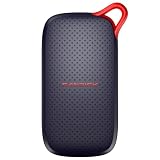
Seagate 2TB Portable Hard Drive
A low-cost, high-capacity drive well suited to periodic backups.

A paperless office relies on predictable habits: scan, name, file and back up. Pick storage you will actually use daily, keep a clear folder structure and run a test restore from time to time. Fast working drives and slow archive drives can happily share the same workflow. Keep at least one copy of your document archive off-site or in a different location.
Frequently Asked Questions
What is the best storage for a small paperless office?
For a small paperless office with 2 to 5 people, a 2-bay NAS, such as the Synology DiskStation DS224+ or QNAP TS-264, is the best storage, because it is centralised, secure, and can be accessed by everyone, with shared folders, user permissions, and automatic backup. A NAS with 2 hard drives in RAID 1, with a capacity of 4TB to 8TB, is enough for most small offices, with room to grow. A portable SSD, such as the Samsung T7 Shield, is a good backup drive, and cloud storage, such as Google Drive or Dropbox, is a good offsite backup. A NAS is a better choice than a single external hard drive, because it is shared and it protects against a single drive failure.
How much storage do I need for a paperless office?
How much storage you need for a paperless office depends on how many documents you have and how large they are. A scanned PDF is usually 100KB to 1MB per page, so 10,000 pages is about 1GB to 10GB. A small office with 10,000 to 50,000 documents needs about 100GB to 500GB, while a larger office with photos and videos needs 1TB to 4TB. A 2TB portable SSD is enough for a freelancer, while a 4TB to 8TB NAS is enough for a small office with 2 to 5 people. Choose storage that is at least twice your current needs, so you have room to grow, and use cloud storage for archiving old documents.
Is cloud storage better than a NAS for paperless offices?
Cloud storage, such as Google Drive, Dropbox, or Microsoft OneDrive, is better than a NAS for remote access, collaboration, and offsite backup, because you can access files from anywhere, share them easily, and your files are backed up by the cloud provider. A NAS is better than cloud storage for speed, privacy, and cost, because it is faster on your local network, your files stay in your office, and you do not pay a monthly fee per user. The best solution for a paperless office is both: use a NAS for fast, centralised storage in your office, and use cloud storage for offsite backup and for remote access. Follow the 3-2-1 backup rule, with a NAS, a portable SSD, and cloud storage.
How do I make scanned documents searchable?
To make scanned documents searchable, use a scanner with OCR, or optical character recognition, such as a Fujitsu ScanSnap iX1600, which can convert a scanned image into a searchable PDF, with text that you can search by keyword. Save your scanned PDFs with a clear name, such as 2026-01-15_Client_Invoice, and store them in a system with a search function, such as Synology Drive, Google Drive, or Dropbox, which can search by file name and by content. Use a consistent folder structure, with folders by client, year, and document type, so files are easy to find even without search. Test your OCR by searching for a word in a scanned document, to make sure it works.
Related guides
- Best AAA Batteries for Office Remotes in 2026: AAA Batteries for Office Remotes
- Best Budget Tablet for Work Under 100 in 2026: Budget Tablets for Work Under $100, Office Work, and Productivity
- Best Gimbal for Office Vlogging in 2026: 7 Gimbals for Office Vlogging That Keep Your Video Smooth, Stable, and Professional in the Office
- Best Budget NAS Dust Filter for Maintenance in 2026: 7 Budget NAS Dust Filters for Maintenance With Clear Airflow, Simple Install, and Easy Use for NAS
More from Amazon
Programs that pair well with the guide above. Offers and eligibility are set by Amazon and may change.
Free shipping on eligible items, Prime Video and more. Eligible new members can start with a free trial.
Start a Prime free trialAd-free music streaming. Eligible new subscribers can start with a free trial.
Try Music Unlimited freeA Prime membership for ages 18-24 with a trial period. Eligibility is set by Amazon.
See Prime for Young AdultsAudiobooks and podcasts to listen to on the go. Eligible new members can start with a free trial.
Try Audible freeAs an Amazon Associate we earn from qualifying purchases.

Write Your Review
No reviews yet. Be the first to share your experience!