
What's inside
- Best Cheap Tablet With Stylus Under 100 by Job
- Quick Comparison: Best Cheap Tablet With Stylus Under 100 Models
- Detailed Reviews: Best Cheap Tablet With Stylus Under 100 Picks
- Buying Guide: Choosing the Best Cheap Tablet With Stylus Under 100
- Frequently Asked Questions About the Best Cheap Tablet With Stylus Under 100
As an Amazon Associate I earn from qualifying purchases. This post may contain affiliate links at no extra cost to you.
The best cheap tablet with stylus under 100 dollars starts with an honesty test that most listings in this category fail on purpose. At a total budget of around a hundred dollars, there are two completely different products both calling themselves a stylus. The first is a capacitive stylus: a pen-shaped finger, with a rubber, mesh, or disc tip, that works on any touchscreen, needs no pairing and often no charging, and is genuinely useful for tapping, scrolling, highlighting, rough notes, and keeping fingerprints off a screen. It has no pressure sensitivity, no tilt, and no palm rejection, because the tablet cannot tell it from your finger. The second is an active stylus system — a pen the tablet was built to hear, with pressure levels, palm rejection, and fine, predictable lines — and complete, new, reputable active-pen tablets with the pen included generally cost more than a hundred dollars. A guide that hides that distinction sells beginners a drawing tool that cannot draw properly. This guide states it in the first paragraph, then does the useful thing: it shows which under-100 routes are good for the jobs a capacitive stylus actually does well, which near-budget options stretch toward real pen input, and what to save for or buy refurbished if digital art or serious handwriting is the real goal.
The six products compared here are real, currently sold tablets and bundles that appear at or near this budget, especially during the frequent sales this category runs on: Lenovo’s Tab M9, Amazon’s Fire HD 10 and Fire HD 8, Walmart’s onn. 11-inch Tablet Pro class sold in stylus bundles, TCL’s Tab 10 class, and Samsung’s Galaxy Tab A9 as the honest stretch option, included precisely because its street and sale prices sometimes approach the budget and because it shows what the next step up buys. Prices are typical ranges rather than exact figures, and in this category that warning matters more than usual: a tablet that is in budget this week may be out of it next week, and the correct method is to set a price alert or a saved search at your total — tablet, stylus, case, and any memory card included — and buy when a model in this table meets it, from a retailer whose return terms you have read. Screen size and resolution, storage, stylus type, and included accessories are each maker’s specification for the current exact model and bundle and should be confirmed in that maker’s current documents and the listing’s box contents before purchase, because in the budget category the bundle, not the tablet’s name, decides what you actually receive.
What is the package for? That question sorts this table faster than any specification. For reading, video, children’s learning under a parent’s setup and supervision, highlight-and-annotate study, kitchen and workshop reference, and note-shaped reminders, a good budget tablet with a capacitive stylus is a complete and satisfying tool, and spending more buys little that those jobs can feel. For lecture handwriting at speed, sketching, and any art beyond a doodle, the capacitive ceiling arrives quickly: lines cannot taper, a resting palm marks the page, and handwriting looks like it was produced by a finger, because to the tablet it was. A student or artist in that second group should read this guide’s stretch and refurbished advice as the main text, and the under-100 rows as a stopgap whose limits they have chosen knowingly, rather than discovered in the first week of term.
Our Top Picks
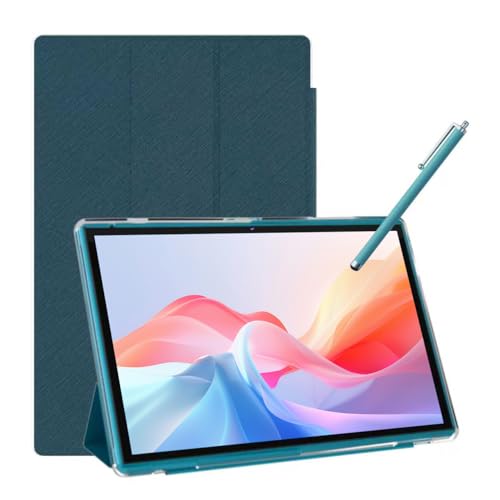 Android Tablet 10 Inch Tablet With Case Stylus8GB+32GB With Case9.6 x 6.7 x 0.3 inchesCheck on Amazon
Best Cheap Tablet With Stylus Under 100 by Job
Reading, video, study highlighting, and family use: the value tablets with a capacitive stylus
For the jobs a capacitive stylus does well, start with the Lenovo Tab M9 and the Amazon Fire HD 10 classes. The Lenovo runs ordinary Android in its maker’s stated configuration, which means the widest choice of reading, study, and note applications from the usual store, while the Fire line offers strong value and a deep content ecosystem in Amazon’s system, with the trade that its app selection and services are Amazon’s rather than the full Android store’s — a trade to accept knowingly, from Amazon’s current documents, rather than to discover with a needed application missing. Add a capacitive stylus of the disc or mesh tip class, a case that stands the tablet up, and a memory card where the model supports one, and the whole package can meet the budget in a sale week.
The bundle buyer: a tablet and stylus in one box, checked piece by piece
Walmart’s onn. class and similar retailer bundles answer the budget’s real shape — one purchase, one box, a stylus included — and they should be bought the way all bundles should: by reading the exact contents, the tablet’s stated storage and memory, and the stylus’s type, which in this class will be capacitive, in the retailer’s and maker’s documents. A bundle whose tablet has very little storage, filled by its own system before your books and applications arrive, is not a bargain at any headline price. The TCL Tab 10 class belongs in the same considered group: a budget Android tablet whose value depends on the exact model’s specifications and current price, checked rather than assumed.
Handwriting and art: the stretch, the sale, and the refurbished route
If pressure and palm rejection are the point, the honest routes are these. Watch the Samsung Galaxy Tab A9 class and, more importantly for pen work, Samsung’s S Pen tablet lines above it in the maker’s range, for the sales that periodically pull a real pen system toward this budget, noting that the A9 itself does not turn a capacitive stylus into an S Pen and that S Pen support is a per-model specification to confirm in Samsung’s documents. Consider a manufacturer-refurbished or reputable retailer-refurbished pen tablet from a previous generation, with its pen included and its warranty stated in writing, which is frequently the only way a true active system meets a hundred-dollar total. Or save the difference, because a budget doubled toward an entry active-pen tablet buys a tool a student or artist keeps for years, while a capacitive package bought for art is commonly replaced within a term — the most expensive outcome in this entire guide.
Quick Comparison: Best Cheap Tablet With Stylus Under 100 Models
| Model | Key Specs | Best For | Typical Price Range | Rating |
|---|---|---|---|---|
| Lenovo Tab M9 with Capacitive Stylus | 9-inch class Android tablet per Lenovo documents, storage and memory classes per maker, capacitive stylus sold in bundles or separately | Best cheap tablet with stylus under 100 overall | $85 – $130 by bundle and sale class | 4.3 / 5 |
| Amazon Fire HD 10 with Capacitive Stylus | 10.1-inch class Fire OS tablet per Amazon documents, storage classes per maker, capacitive stylus compatibility as a touchscreen accessory | Best for reading and video value | $80 – $150 by sale and bundle class | 4.2 / 5 |
| Walmart onn. 11 Tablet Pro Bundle Class | 11-inch class Android tablet per retailer documents, stylus included in stated bundle classes, storage per listing documents | Best one-box bundle | $90 – $140 by bundle class | 4.0 / 5 |
| Amazon Fire HD 8 with Capacitive Stylus | 8-inch class Fire OS tablet per Amazon documents, compact format class, storage classes per maker | Best compact budget option | $65 – $110 by sale and bundle class | 4.0 / 5 |
| TCL Tab 10 Class with Capacitive Stylus | 10-inch class Android tablet per TCL documents for the exact model, storage and display classes per maker | Best alternative Android value | $90 – $140 by model and sale class | 3.9 / 5 |
| Samsung Galaxy Tab A9 (Stretch Option) | 8.7-inch class Android tablet per Samsung documents, storage classes per maker, capacitive stylus only unless a model states otherwise | Best stretch toward a pen ecosystem | $140 – $220 by sale class | 4.1 / 5 |
Android Tablet 10 Inch Tablet With Case Stylus Android 15 Tablets 8GB RAM 32GB ROM Support 1TB Expansion 6000mah Battery 10.1" IPS HD Touchscreen 2MP+8MP Dual Camera WIFI-6 Bluetooth5.0 Tablets
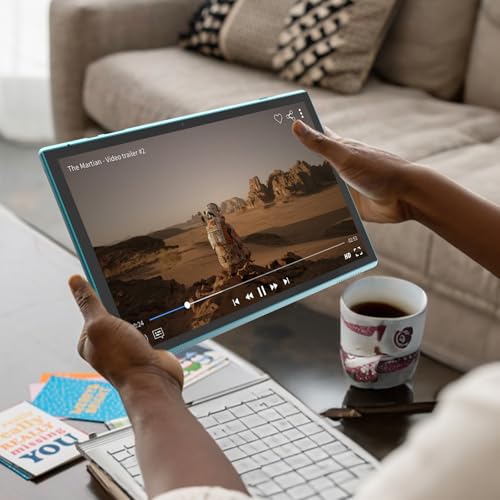


As an Amazon Associate we earn from qualifying purchases. Product prices and availability are accurate as of the date/time indicated.

MUISOO 2 in 1 Android 16 Tablet with Keyboard Mouse Stylus Case, 24GB RAM 1TB TF Expand, 10 inch HD IPS Screen Widevine L1, 6000mAh Battery, Dual Camera Face Unlock, WiFi 6 BT5.4, Tablets Bundle
As an Amazon Associate we earn from qualifying purchases. Product prices and availability are accurate as of the date/time indicated.

Android 16 Tablet 10 inch Tablets, 20GB RAM 128GB ROM 2TB Expand, 2.0Ghz CPU Octa-Core Processor Tablet PC with Case and Stylus, 5G WiFi6, BT5.0, 6000mAh Battery, Dual Camera, Widevine L1, GMS, Pink


As an Amazon Associate we earn from qualifying purchases. Product prices and availability are accurate as of the date/time indicated.
Display size and resolution, processor, memory, storage and expansion, operating system, battery, and stylus type and inclusion are each maker’s or retailer’s specification for the current exact model and bundle and must be confirmed in their current documents and box contents before purchase. No capacitive stylus provides pressure sensitivity, tilt, or palm rejection on any tablet in this table. Prices are typical street and sale ranges as described and change frequently; a model meets the under-100 goal only when its complete package — tablet, stylus, case, and any needed memory card — is priced within it at the time you buy.
Detailed Reviews: Best Cheap Tablet With Stylus Under 100 Picks
1. Lenovo Tab M9 – Best Overall
The Tab M9 leads the in-budget rows because it is an ordinary Android tablet from a major maker at an extraordinary category price: a compact screen suited to reading and study, access to the standard application store in Lenovo’s stated configuration, and a size that suits a bag, a kitchen, and a child’s supervised learning as readily as a student’s desk. Paired with a decent capacitive stylus, it covers this guide’s first group of jobs completely.
Buy it at a sale price with the stylus, a stand case, and storage headroom all counted, and confirm its exact storage in Lenovo’s documents, because at this level the larger storage option is often the difference between a tablet that ages well and one that is full by Christmas. As a handwriting or art tool it has the capacitive ceiling stated throughout this guide; as everything else, it is the table’s best hundred-dollar answer.
2. Amazon Fire HD 10 – Best for Reading and Video Value
The Fire HD 10 offers the largest screen in the in-budget group and a content ecosystem — books, video, and Amazon’s services — that many households are already paying for, at sale prices that periodically make it the best value object in this entire category. For reading with a stylus for highlighting, for video, and for household reference use, it is a complete package.
Its condition is its system: Fire OS and Amazon’s application selection, in Amazon’s current documents, are not the full Android store, so check that the specific applications your study, work, or family needs are available before buying, not after. Within that condition, knowingly accepted, its screen and price outrun every other row here.
3. Walmart onn. 11 Tablet Pro Bundle Class – Best One-Box Bundle
The onn. bundle’s argument is administrative: a large-screen tablet and a stylus in one box, at one budget price, from a retailer with a physical returns desk in most towns. For a gift, a family tablet, or a buyer who values being able to hand a problem back across a counter, those are real specifications, and at this budget they matter.
Read the exact bundle’s documents with more care than any other row, because retailer classes change: storage, memory, the stylus’s type, and the Android version stated for the unit in the box in front of you are the product. Bought on its documents rather than its shelf label, it is a fair, complete, one-trip purchase.
4. Amazon Fire HD 8 – Best Compact Budget
The Fire HD 8 is the smallest, cheapest route into this table: a one-hand tablet for reading, audio, video, and light study, which in a good sale leaves room in the hundred for the stylus, a case, and a memory card with money to spare. As a second tablet — for a bag, a bedside, a child’s supervised use under a parent’s account setup — that completeness at a low total is its charm.
Its screen and performance classes are the budget’s honest floor, so set expectations by its documents: it is a reading and media tablet with a useful stylus for navigation and annotation, not a workstation. Within that role it is the easiest purchase in this guide to justify and the hardest to regret.
5. TCL Tab 10 Class – Best Alternative Android Value
TCL’s Tab 10 class offers a larger-screen ordinary Android alternative in the same sale-driven price country as the Lenovo, with model variations that make exact checking essential: display, storage, and included accessories differ across the class’s versions and markets, all stated in TCL’s documents for the exact model on offer.
Choose it when its exact, documented package beats the Lenovo’s on the day — a larger screen at the same total, a storage step included, a bundle with the case you wanted. That is how this category should be shopped: a shortlist of acceptable models, a total-package price, and the discipline to buy the one whose documents win this week.
6. Samsung Galaxy Tab A9 – The Honest Stretch
The A9 is included out of its usual price range deliberately, as the signpost at this guide’s border. It is a better-built, better-supported tablet than the in-budget rows in Samsung’s stated classes, and its sale prices sometimes approach the territory — but it does not, by itself, solve the pen problem, because an S Pen system is a per-model feature and a capacitive stylus on an A9 remains a capacitive stylus.
Its real lesson is directional: a buyer whose goal is handwriting or art should stretch not merely to a better tablet, but to a tablet with a stated active pen system and the pen included — in Samsung’s range, the S Pen lines above this model — bought in a sale or refurbished with a written warranty. That purchase, even above a hundred, is cheaper than this table’s in-budget rows bought twice.
Buying Guide: Choosing the Best Cheap Tablet With Stylus Under 100
Name the stylus job first, and refuse a listing that will not name the stylus type
Write down the three things the stylus will actually do. If they are tapping, scrolling, highlighting, annotating documents, rough notes, and children’s drawing, a capacitive stylus serves completely, and this table’s in-budget rows are your market. If they include fast handwriting, sketching with line variation, or art you intend to share, you need pressure and palm rejection, and no wording in a budget listing changes that — look for a tablet whose maker states an active pen system for the exact model, the pen included or priced into your total, and the words pressure and palm rejection in the maker’s own documents rather than in a retailer’s headline. Treat any bundle that will not state its stylus type as capacitive until proven otherwise, test the pen on the tablet in a shop where you can, and use return terms fairly and within their conditions to test handwriting at your real speed at home, because that test, honestly run, settles the category’s central question in five minutes.
Price the whole package in a sale, and check storage before screen size
Add the package before comparing tablets: the tablet, the stylus, a case that stands and protects, a memory card if your material needs one and the model accepts one, and a charger or cable if the box omits one, all from the makers’ and retailers’ stated contents. In this category the package is bought in a sale or not at all, so set the total, save the search or alert, and let the calendar do the negotiating. Within the package, spend first on storage: a budget tablet’s stated storage in its maker’s documents should cover its system, your applications, and your books, media, and files with room to spare, because a full tablet slows, refuses updates, and cannot be expanded in the ways that matter if its applications cannot move. Screen size is the second decision, made by the job — a reader and traveller may prefer the 8 and 9-inch classes, a study, video, or split-screen user the 10 and 11-inch classes — and performance expectations should be set by the category: these are reading, media, and light-work machines, and a buyer who needs a laptop’s pace should put the hundred toward a different tool entirely.
Set it up safely, especially for children and students, and keep it maintained
Set the tablet up as its maker’s and your platform’s guidance directs: a signed-in account you control, updates enabled from official sources, a screen lock, and, for a child’s tablet, the parental controls and content settings the maker provides, configured by the parent, with purchases requiring approval and the child’s use supervised as your family’s rules require. Install applications only from the official store for the platform, check a note or drawing application’s backup or export before trusting it with a term’s work, and export important notes and documents regularly to another place, because a hundred-dollar tablet’s most expensive failure is the notes that existed only on it. Keep the stylus tips clean and replaceable where the maker offers spares, keep the screen clean with a soft cloth, and store purchase and warranty documents together. The best cheap tablet with stylus under 100 is finally an honest package: a tablet whose documents match its job, a stylus whose type its buyer can name, and a total that was actually paid — and any row in this table, bought with that honesty, will do the work it was bought for, while the buyer whose real job needs a true pen will have been told, in time to act on it, exactly where that tool lives and what it fairly costs.
Frequently Asked Questions About the Best Cheap Tablet With Stylus Under 100
What is the best cheap tablet with a stylus under $100?
For reading, video, study annotation, and family use, the Lenovo Tab M9 with a capacitive stylus is this table’s best overall package when its complete bundle — tablet, stylus, case, and any memory card — is bought at a sale price within the budget. The Amazon Fire HD 10 is the reading and video value pick within Amazon’s ecosystem, the Fire HD 8 is the compact budget option, Walmart’s onn. bundle class is the one-box purchase, and TCL’s Tab 10 class is the alternative Android value. The Samsung Galaxy Tab A9 is included as a stretch signpost above the budget. In every case the stylus in an in-budget package is capacitive — a pen-shaped finger for tapping, highlighting, and rough notes — and a buyer who needs pressure sensitivity and palm rejection should follow this guide’s sale and refurbished advice toward a stated active pen system instead.
Can a stylus under $100 be used for drawing and handwriting?
It depends entirely on which kind of stylus it is, and the distinction is the most important sentence in this guide. A capacitive stylus, which is what in-budget bundles include, can draw and write in the sense that a finger can: it makes a line of one weight, it cannot sense pressure or tilt, and the tablet cannot reject your palm, so resting your hand marks the page unless an application offers a software workaround that helps some writers and frustrates others. For doodles, diagrams, children’s drawing, and slow, deliberate notes, many users are content. For fast lecture handwriting, sketching, or art, it is the wrong tool, and no application purchase fixes a hardware absence. A true active pen system — pressure, tilt, and palm rejection stated in the tablet maker’s documents, with the pen included — is the requirement for that work, and at this total it is realistically reached through a major sale or a refurbished previous-generation pen tablet with a written warranty.
How do I make sure a budget tablet bundle really includes a usable stylus?
Read the bundle’s stated contents, not its photograph. Confirm, in the retailer’s and maker’s current documents for the exact bundle, that a stylus is listed in the box contents, what type it is — capacitive, or an active pen named for that tablet — whether it needs charging or batteries and whether a cable or spare tips are included, and what the tablet’s storage and memory are, since a bundle can pair a fair tablet with a stylus and still be undermined by storage too small for its own updates. If any of those answers is missing, ask the retailer before buying or choose a bundle that answers them, and when the package arrives, test the stylus on the tablet immediately — navigation, a page of your own handwriting at your own speed, the applications you bought it for — while the return terms you read at purchase are still open. A bundle is a promise about a box’s contents; the time to audit a promise is the week it is made.
Is a refurbished pen tablet a better buy than a new cheap tablet with a stylus?
For handwriting and art, often yes, and for reading and video, usually no, which is why the job decides. A manufacturer-refurbished or reputable retailer-refurbished tablet with a stated active pen system, its pen included, a battery health and condition description, and a warranty in writing can deliver pressure, palm rejection, and a real drawing experience at a total a new active system cannot meet — the only honest route to that experience near this budget. Its costs are the ones refurbished purchases always carry: an older model with a shorter remaining update life in its maker’s stated support terms, a battery with some wear, and a dependence on the refurbisher’s honesty, which is why the written warranty and the seller’s returns process matter more than the discount. For a reader, a video watcher, or a family tablet, a new in-budget model from this table, with a full warranty and a fresh battery, is the better buy. Decide by the stylus job you named at the start, buy the paperwork as carefully as the product, and either route, honestly chosen, beats a new capacitive package bought in the hope that it is secretly a drawing tablet.
Related guides
- Best Phone Case for Fishermen on Boats in 2026: 7 Phone Cases That Are Waterproof, Float, and Survive a Drop on a Boat
- How to Choose Action Camera for Office Travel in 2026: Action Camera for Office Travel
- Best Ring Light for Office Photography in 2026: 7 Lights That Offer Soft Light, Easy Setup, and Reliable Use for Office Photographers
- Best Phone Gimbal for Skateboarding Videos in 2026: 6 Top Phone Gimbals for Skateboarding Videos, Skateboard Gimbals, and Easy Use
More from Amazon
Programs that pair well with the guide above. Offers and eligibility are set by Amazon and may change.
Free shipping on eligible items, Prime Video and more. Eligible new members can start with a free trial.
Start a Prime free trialAd-free music streaming. Eligible new subscribers can start with a free trial.
Try Music Unlimited freeA Prime membership for ages 18-24 with a trial period. Eligibility is set by Amazon.
See Prime for Young AdultsAudiobooks and podcasts to listen to on the go. Eligible new members can start with a free trial.
Try Audible freeAs an Amazon Associate we earn from qualifying purchases.

Write Your Review
No reviews yet. Be the first to share your experience!