
Our Top Picks
 The Learning Journey: Lift & Learn Inside of15 x 11 inches15 x 0.38 x 11 inches0.59 poundsCheck on Amazon
What's inside
As an Amazon Associate I earn from qualifying purchases. This post may contain affiliate links at no extra cost to you.
Buying learning software is a decision about fit, not about collecting titles. A phonics program built for a four-year-old will bore an eight-year-old, and a math title aimed at ages six to eight will frustrate a child who has not started school yet. Several titles in this list also ship on CD-ROM and were built for older versions of Windows and Mac, so a disc that looks right can still be the wrong buy for a computer with no disc drive.
This guide is for parents choosing a first learning program for a preschooler, parents of a six- to eight-year-old who needs math practice, and adults starting French from the beginning. The five titles below come from their Amazon listing names and stated details, with the age range, operating system, and form spelled out for each one, so the choice can be made before the box arrives.
Quick Picks
As an Amazon Associate we earn from qualifying purchases
| Product | Best for | Key spec from title |
|---|---|---|
| Typing Instructor for Kids Gold | A child learning touch typing on a family PC | CD for PC, 10+ age-appropriate typing plans |
| Math Blaster Ages 6-8 | A 6- to 8-year-old practicing school math | Math learning for ages 6 to 8 |
| Reader Rabbit Learn to Read with Phonics | A preschool or kindergarten child starting phonics | Ages 3 to 6, CD-ROM, Windows and Mac |
| JumpStart Preschool | A preschooler aged 2 to 4 learning letters, numbers, shapes and colors | CD-ROM, Mac and PC, ages 2 to 4 |
| Rosetta Stone French Level 1-5 Set | An adult or teen starting French from level 1 | 12-month Mobile/Studio/Gaming access, levels 1-5 |

C Language - Computer Software Quick Reference Guide by Permacharts


As an Amazon Associate we earn from qualifying purchases. Product prices and availability are accurate as of the date/time indicated.
The Learning Journey: Lift & Learn Inside of Me – Human Body Layered 28 piece Jigsaw Puzzles- Montessori School - Learning Educational Toy for Baby - Kids Ages 3 and Up Non-Toxic & BPA Free


As an Amazon Associate we earn from qualifying purchases. Product prices and availability are accurate as of the date/time indicated.

Kids Tablet 7 inch Tablet for Kids Wifi Kids Tablets 32G Android 10 Dual Camera Educational Games Parental Control, Toddler Tablet with Kids Software Pre-Installed Kid-Proof YouTube Netflix (Pink)


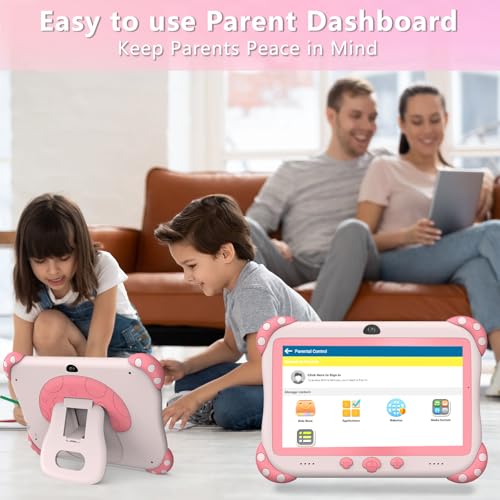


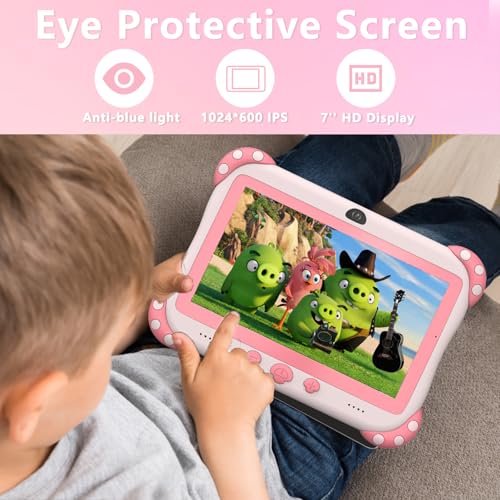

As an Amazon Associate we earn from qualifying purchases. Product prices and availability are accurate as of the date/time indicated.
How to Choose
Match the age range on the box to the child
Age ranges are the first filter, and they are printed in the titles for a reason. JumpStart Preschool is built for ages two to four, Reader Rabbit covers preschool and kindergarten at ages three to six, and Math Blaster is aimed at ages six to eight. A title that sits below a child’s age will feel like a toy and get ignored, while one aimed above it will ask for skills the child does not have yet. Check the range against the child’s actual age, not the age the parent hopes the child will reach soon, and remember that a range like three to six covers two very different stages of reading.
Check the operating system and the disc drive
Several titles here are CD-ROM discs from an earlier era of software, and that changes what a buyer must check. JumpStart Preschool lists Windows and Macintosh, but its stated system requirements name Windows 98 through Vista and Mac OS 8.6 to 9.2, so it belongs on an older machine or a computer set up for older software. Reader Rabbit also lists Windows and Mac, while the Typing Instructor disc in this listing is for PC. Before ordering any disc, confirm the home computer has a working CD-ROM drive, since many current laptops ship without one, and confirm the operating system the disc expects.
Know what form you are buying
These five titles arrive in different forms, and the form decides how long the purchase lasts. Typing Instructor for Kids Gold, Reader Rabbit and JumpStart Preschool all come on disc: a one-time install from a physical disc that stays usable as long as the disc and a compatible computer are around. Rosetta Stone French is different: the listing describes 12-month Mobile, Studio and Gaming access, which means the course runs online and through mobile apps for one year. Math Blaster’s listing name states its age range but not its form, so check the listing page for whether it ships on disc or as a download. Check the Rosetta Stone listing for what happens when those 12 months end.
Check what each edition actually covers
Editions and level ranges are easy to misread, and the name is the only reliable guide. Rosetta Stone French Level 1-5 Set covers five levels, from beginner to advanced, while a Level 1 only set would stop at the start. Reader Rabbit Learn to Read with Phonics is the preschool and kindergarten edition for ages three to six, not the first and second grade edition, which carries a different age range and different activities. Typing Instructor for Kids Gold follows age-appropriate typing plans for children, which is a different product from the adult Typing Instructor Gold. Read the full title, including the level numbers and the age range, before ordering.
The 5 Best Options
Typing Instructor for Kids Gold
This is a typing trainer built around an island adventure, with lessons, tests, challenges and games that lead a child through keyboard basics on Typer Island. The listing describes more than ten skill and age-appropriate typing plans, so a parent can match the plan to the child’s age and current ability instead of starting every child on the same first lesson. It meets national, state and Common Core standards, which makes it a straightforward choice for school-age children who need to type homework and classwork. The boxed CD ships with an activation code and free technical support from the publisher.
Specs
- Form: CD for PC, boxed disc with activation code
- Plans: more than 10 skill and age-appropriate typing plans
- Theme: island adventure on Typer Island, with lessons, tests, challenges and games
- Standards: meets national, state and Common Core standards
- Support: free technical support from the publisher
Best for: A school-age child learning touch typing on a family PC.
Watch out for: The disc in this listing is for PC (Windows); a separate Mac edition exists, so confirm the listing is the PC disc and that the computer has a CD drive.
ASIN: B07PMPCDNJ
Math Blaster Ages 6-8
Math Blaster is a math learning title aimed squarely at children aged six to eight, the years when school math moves from counting into addition, subtraction and early problem solving. The age range in the title is the clearest guide to who it fits: a six-year-old starting out and an eight-year-old building confidence will both find work at their level, while a child outside that range will find it either too easy or too hard. Because the listing name states the age range but not the disc format or operating system, the listing page is the place to confirm those details before ordering.
Specs
- Subject: math learning
- Age range: 6 to 8
Best for: A child aged six to eight who needs math practice at school level.
Watch out for: The listing name does not state the format or operating system, so check the listing page for the disc or download format and system requirements before buying.
ASIN: B001MKLN4E
Reader Rabbit Learn to Read with Phonics
Reader Rabbit Learn to Read with Phonics! Preschool & Kindergarten Age Rating:3 – 6
Reader Rabbit Learn to Read with Phonics takes pre-readers through 26 Letter Lands and a Word Factory, building phonics, decoding, vocabulary, spelling and comprehension through more than 100 interactive games and puzzles. The preschool and kindergarten edition is aimed at ages three to six, and it tracks progress so the activities can match the child’s pace. A second CD adds further activities, which doubles the practice without changing the reading level. It runs on Windows and Mac on CD-ROM, so it fits a family computer that still has a disc drive.
Specs
- Age range: 3 to 6 (Preschool & Kindergarten)
- Format: CD-ROM, Windows and Mac
- Content: 26 Letter Lands and a Word Factory
- Activities: more than 100 interactive games and puzzles
- Skills: phonics, decoding, vocabulary, spelling, comprehension
- Progress tracking: tracks progress to match the child’s pace
Best for: A preschool or kindergarten child aged three to six starting phonics and early reading.
Watch out for: This is the Preschool & Kindergarten edition, not the 1st and 2nd Grade edition; also confirm the computer has a CD-ROM drive and runs a system the disc supports.
ASIN: B0152VKJ84
JumpStart Preschool

Jumpstart Preschool – Educational Game – Cd-rom – Mac, Pc
JumpStart Preschool turns school readiness into play, with ten interactive puzzles, games and play areas that teach letters, numbers, shapes, colors, phonics, listening skills and music. The program covers more than 30 skills and includes 16 sing-along songs, with characters such as Casey Cat, Kisha Koala, Eleanor the Elephant and Pierre the Bear guiding the child through the activities. It is built for ages two to four and runs on Windows and Macintosh from a CD-ROM. The disc format and the older system requirements are the details to check first, since they decide whether the program will run on the computer at home.
Specs
- Age range: 2 to 4
- Format: CD-ROM, Mac and PC
- Content: 10 interactive puzzles, games and play areas; 16 sing-along songs
- Skills: letters, numbers, shapes, colors, phonics, listening skills, music; more than 30 skills
- System requirements (Windows): Windows Vista, XP, 2000, Me, 98; CD-ROM drive
- System requirements (Macintosh): Mac OS X Classic, 8.6-9.2; Power Mac G3 233 MHz or faster
Best for: A child aged two to four learning letters, numbers, shapes and colors before school.
Watch out for: This is an older CD-ROM title with system requirements for Windows 98 through Vista and Mac OS 8.6 to 9.2, so confirm it runs on the computer at home before buying.
ASIN: B000UDI70C
Rosetta Stone French Level 1-5 Set
Rosetta Stone French Level 1-5 Set – includes 12-month Mobile/Studio/Gaming Access
This set covers French from level one to level five, taking a learner from first words toward conversational skill. The 12 months of Mobile, Studio and Gaming access add mobile apps, language games and live coaching with native speakers to the core lessons, so study can happen on a phone as well as at a desk. Because the access lasts 12 months, the set fits a learner ready to study regularly through the year rather than someone who wants to dip in occasionally. Check the listing for when the 12 months start and what happens when they end.
Specs
- Language: French
- Levels: 1 to 5
- Access: 12 months of Mobile, Studio and Gaming access
- Includes: mobile apps, language games, live coaching with native speakers
Best for: An adult or teen starting French and ready to study regularly for a year.
Watch out for: The access lasts 12 months, not forever — check the listing for when the 12 months start and what happens when they end.
ASIN: B01K3VLZCC
Which One Fits Your Situation
A preschooler getting ready for school
Pick JumpStart Preschool for a child aged two to four: its letters, numbers, shapes and colors match what preschool teaches, and the songs and games keep a young child playing. If reading is the goal rather than general school readiness, choose Reader Rabbit Learn to Read with Phonics instead, since its 26 Letter Lands focus on phonics for ages three to six.
A six- to eight-year-old who needs math practice
Math Blaster Ages 6-8 is the pick here, because its whole range is built for six- to eight-year-olds and the math matches what school teaches at that age. Check the listing page for the format and system requirements first, since the title states the age range but not whether it ships on disc or as a download.
A child who needs to learn to type for school
Typing Instructor for Kids Gold fits a school-age child who must type homework and classwork. Its age-appropriate plans let a parent match the lessons to the child’s age and ability, and the island adventure keeps practice moving. Confirm the home computer is a PC with a CD drive, since the disc in this listing is the PC version.
An adult or teen starting French from scratch
Rosetta Stone French Level 1-5 Set is the pick for a learner starting French at level one and ready to study through the year. Five levels take the learner from first words toward conversational skill, and the 12 months of mobile, Studio and gaming access add live coaching and games. This is the only title in the list aimed at adults and teens rather than children.
Common Mistakes
- Ordering a CD-ROM title for a computer with no disc drive.
- Buying an old disc without checking whether it runs on a modern operating system.
- Choosing a title for the wrong age range — for example, the 1st and 2nd Grade Reader Rabbit edition instead of the Preschool & Kindergarten edition.
- Assuming the Rosetta Stone 12-month access lasts forever instead of checking when it ends.
- Mixing up the PC disc and the Mac edition of Typing Instructor for Kids Gold.
Frequently Asked Questions
Do these programs work on a modern Windows computer?
Some do and some need checking. Rosetta Stone runs online and through mobile apps, so it is not tied to an old disc. JumpStart Preschool, Reader Rabbit and Typing Instructor are CD-ROM titles, and JumpStart names Windows 98 through Vista in its system requirements, so confirm the disc runs on the computer at home before buying.
What does the Rosetta Stone 12-month access cover?
The listing describes 12 months of Mobile, Studio and Gaming access for French levels one to five. That covers mobile apps, language games and live coaching with native speakers alongside the core lessons. Check the listing for when the 12 months start and what happens when they end.
Are these programs subscriptions or one-time purchases?
The disc titles are one-time installs: buy the disc, install it, and keep using it while the disc and a compatible computer last. Rosetta Stone French is different, because its access lasts 12 months. After that, check the listing for how access continues.
Can a child use these programs on a Mac?
Reader Rabbit and JumpStart Preschool both list Mac as well as Windows, though JumpStart’s stated Mac requirements name older Mac OS versions, so check them first. The Typing Instructor disc in this listing is for PC; a separate Mac edition exists, so confirm the listing is the version the home computer needs.
Related guides
More from Amazon
Programs that pair well with the guide above. Offers and eligibility are set by Amazon and may change.
Free shipping on eligible items, Prime Video and more. Eligible new members can start with a free trial.
Start a Prime free trialAd-free music streaming. Eligible new subscribers can start with a free trial.
Try Music Unlimited freeA Prime membership for ages 18-24 with a trial period. Eligibility is set by Amazon.
See Prime for Young AdultsAudiobooks and podcasts to listen to on the go. Eligible new members can start with a free trial.
Try Audible freeAs an Amazon Associate we earn from qualifying purchases.









Write Your Review
No reviews yet. Be the first to share your experience!