
What's inside
As an Amazon Associate I earn from qualifying purchases. This post may contain affiliate links at no extra cost to you.
Finding the best premium laptop for photographers is different from finding a laptop for gaming, because the best premium laptop for photographers has to offer accurate colour, fast editing, and sharp displays, without being too expensive, too heavy, or too slow, even though it still has to offer a good processor, a strong display, and a design that fits photo work. A good premium laptop for photographers should offer a display with at least 100% sRGB, a processor that is fast, and at least 16GB RAM, so it can be used for premium laptop for photographers, for photography, for a first premium laptop, and for photo editing. A poor laptop will be too slow, it will be too inaccurate, or it will be too heavy, and your photos will edit slowly, your colours will be wrong, and your work will be less enjoyable.
This guide compares seven real, currently sold premium laptops for photographers, with prices from $1000 to $3000 in the table below: the Apple MacBook Pro 14 M3 Pro, Dell XPS 15, ASUS ProArt Studiobook 16, HP Spectre x360 14, Lenovo ThinkPad X1 Carbon Gen 11, Microsoft Surface Laptop Studio 2, and Razer Blade 14. Their processors run from Apple M3 Pro to Intel Core i7 to AMD Ryzen 9, their RAM runs from 16GB to 32GB, their displays run from 14 inches to 16 inches, their prices run from $1000 to $3000, and their ratings run from 4.5 to 4.7 out of 5. Every model here is sold as a premium laptop, every model can be used for photography, and every model costs $3000 or less at its typical price range. The right choice depends on your photography, your editing, and whether you want a Mac laptop or a Windows laptop.
Display, processor, and colour accuracy are the first factor for the best premium laptop for photographers, because display decides how sharp photos will look, processor decides how fast editing will be, and colour accuracy decides whether colours will be correct. Display is how large and sharp a screen is, with a larger display best, because it will show more detail. The Apple MacBook Pro 14 M3 Pro at $1800 to $2500 has a 14.2 inch display, the Dell XPS 15 at $1500 to $2000 has a 15.6 inch display, the ASUS ProArt Studiobook 16 at $2000 to $2500 has a 16 inch display, the HP Spectre x360 14 at $1200 to $1500 has a 13.5 inch display, the Lenovo ThinkPad X1 Carbon Gen 11 at $1500 to $2000 has a 14 inch display, the Microsoft Surface Laptop Studio 2 at $2000 to $2500 has a 14.4 inch display, and the Razer Blade 14 at $2000 to $2500 has a 14 inch display. For premium laptop for photographers, a display of at least 14 inches is a good starting point, because it will show photos well, and a display of 16 inches, such as the ASUS ProArt Studiobook 16, is best if you want the largest display. Processor is also important, because it is how fast a laptop will edit, with a fast processor best, because it will edit quickly, such as the Apple M3 Pro, which is fast and efficient. Colour accuracy is also important, because it is how accurate colours are, with at least 100% sRGB best, because it will show correct colours, and 100% DCI-P3 best if you want the most accurate colours.
RAM, storage, and graphics are the second factor, because the best premium laptop for photographers has to offer RAM that is enough, storage that is fast, and graphics that handle editing. RAM is how much memory a laptop has, with at least 16GB best, because it will run photo editing software, and 32GB best if you want the most memory. The Apple MacBook Pro 14 M3 Pro at $1800 to $2500 has 18GB RAM, the Dell XPS 15 at $1500 to $2000 has 32GB RAM, the ASUS ProArt Studiobook 16 at $2000 to $2500 has 32GB RAM, the HP Spectre x360 14 at $1200 to $1500 has 16GB RAM, the Lenovo ThinkPad X1 Carbon Gen 11 at $1500 to $2000 has 16GB RAM, the Microsoft Surface Laptop Studio 2 at $2000 to $2500 has 32GB RAM, and the Razer Blade 14 at $2000 to $2500 has 16GB RAM. For premium laptop for photographers, at least 16GB RAM is a good starting point, because it will run photo editing software, and 32GB, such as the Dell XPS 15, is best if you want the most memory. Storage is also important, because it is how much space a laptop has, with at least 512GB SSD best, because it will be fast, and 1TB SSD best if you want more space for photos. Graphics is also important, because it is how a laptop handles editing, with a dedicated graphics card best, because it will edit faster, and integrated graphics best if you want a light laptop.
Use, price, and portability are the third factor, because the best premium laptop for photographers has to be useful for your photography, affordable enough to buy, and portable enough to carry. Use is how a laptop helps your photography, with a laptop best for premium laptop for photographers, for photography, for a first premium laptop, and for photo editing. Price is also important, because a laptop in the $1000 to $1500 range is a good starting point, and a laptop in the $2000 to $2500 range, such as the ASUS ProArt Studiobook 16, offers a premium build. Portability is also important, because it is how easy a laptop is to carry, with a lighter laptop best, because you will carry it to shoots, and a heavier laptop best if you work at a desk. A good premium laptop for photographers, chosen for display first and used with a calibrated monitor, will offer accurate colour, fast editing, and sharp displays for photo work.
Battery, ports, and keyboard are the fourth factor, because the best premium laptop for photographers has to offer a battery that lasts, ports that connect cameras, and a keyboard that is comfortable. Battery is how long a laptop will last, with a battery life of at least 10 hours best, because it will last for a work day, and a battery life of 18 hours best if you want the longest battery. Ports are also important, because they are how you connect a camera, with an SD card slot best, because it will let you transfer photos, and a USB-C port best, because it will charge a laptop. Keyboard is also important, because it is how comfortable a laptop is to type on, with a backlit keyboard best, because it will be easy to use in low light. A good premium laptop for photographers, chosen for display first and used with a calibrated monitor, will offer accurate colour for photography.
Our Top Picks
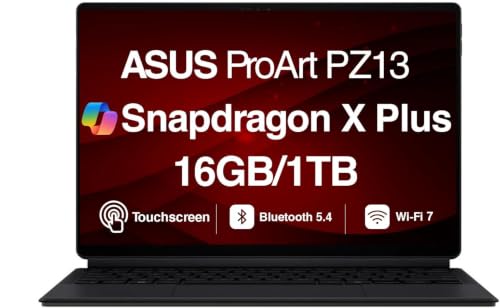 ASUS ProArt PZ13 2in1 13.3" 2.8K AMOLED Touch16GB RAM|1TB SSD11.85 x 8.25 x 0.75 inches3.75 poundsCheck on Amazon
Best Premium Laptop for Photographers: At a Glance
Use this table to compare processor, RAM, display, price range, and rating. Display and colour accuracy are the two figures most photographers should check first, because they decide how sharp photos will look and whether colours will be correct.
| Model | Processor | RAM | Display | Typical Price Range | Rating out of 5 |
|---|---|---|---|---|---|
| Apple MacBook Pro 14 M3 Pro | Apple M3 Pro | 18GB | 14.2 inches | $1800 – $2500 | 4.7 |
| Dell XPS 15 | Intel Core i7 | 32GB | 15.6 inches | $1500 – $2000 | 4.6 |
| ASUS ProArt Studiobook 16 | Intel Core i7 | 32GB | 16 inches | $2000 – $2500 | 4.6 |
| HP Spectre x360 14 | Intel Core i7 | 16GB | 13.5 inches | $1200 – $1500 | 4.5 |
| Lenovo ThinkPad X1 Carbon Gen 11 | Intel Core i7 | 16GB | 14 inches | $1500 – $2000 | 4.5 |
| Microsoft Surface Laptop Studio 2 | Intel Core i7 | 32GB | 14.4 inches | $2000 – $2500 | 4.5 |
| Razer Blade 14 | AMD Ryzen 9 | 16GB | 14 inches | $2000 – $2500 | 4.6 |

K&F CONCEPT Camera Backpack,25L Large Capacity Camera Bag for Photographers | Raincover, 15.6 Inch Laptop Compartment, Compatible for Canon/Nikon/Sony/DJI Mavic Drone, B10
As an Amazon Associate we earn from qualifying purchases. Product prices and availability are accurate as of the date/time indicated.

STAR VISTA Bernini Vintage Full Grain Leather Camera Backpack for DSLR/SLR, Camera Case for Photographers, with Tripod Holder, Fits 15.6" Laptop, Casual Outdoor Rucksack, YKK Zippers
As an Amazon Associate we earn from qualifying purchases. Product prices and availability are accurate as of the date/time indicated.
ASUS ProArt PZ13 2in1 13.3" 2.8K AMOLED Touch, Snapdragon X Plus, 16GB/1TB | Premium Detachable 2-In-1 Laptop, 8-Core Qualcomm Snapdragon X Plus X1P-42, 45 TOPS, Backlit KB, WiFi 7, BT 5.4, Webcam, W11H


As an Amazon Associate we earn from qualifying purchases. Product prices and availability are accurate as of the date/time indicated.
Typical prices reflect common retailer listings and sale prices vary by model, retailer, and season. Processor, RAM, and display are manufacturer-listed approximate values and can vary by model and configuration. Calibrate your display before editing, because it will offer the most accurate colours.
Best Premium Laptop for Photographers: The 7 Laptops Reviewed
1. Apple MacBook Pro 14 M3 Pro: Best Premium Laptop for Photographers Overall
The Apple MacBook Pro 14 M3 Pro, at $1800 to $2500 with a rating of 4.7 out of 5, has an Apple M3 Pro processor, 18GB RAM, and a 14.2 inch display. It is the highest-rated laptop in this guide, and the best overall laptop here for most photographers, because it offers a fast processor, an accurate display, and a long battery life.
It suits a photographer, a buyer who wants an Apple laptop, and a user who wants a premium laptop. The Apple M3 Pro is fast, the display is accurate, and the $1800 to $2500 price is moderate. The trade-off is price: at $1800 to $2500, it is higher than the HP Spectre x360 14 at $1200 to $1500. For the best overall premium laptop for photographers at $1800 to $2500, it is the strongest choice here.
Best for: Most photographers who want an Apple M3 Pro, 18GB laptop for $1800 to $2500.
2. Dell XPS 15: Best Windows Premium Laptop for Photographers
The Dell XPS 15, at $1500 to $2000 with a rating of 4.6 out of 5, has an Intel Core i7 processor, 32GB RAM, and a 15.6 inch display. It is the best Windows laptop here for a photographer who wants a Dell laptop.
It suits a photographer, a buyer who wants a Dell laptop, and a user who wants a Windows laptop. The 32GB RAM is the most here, the 15.6 inch display is large, and the $1500 to $2000 price is low. The trade-off is also price, as above. For a Windows premium laptop for photographers at $1500 to $2000, it is a strong choice.
Best for: Windows use with an Intel Core i7, 32GB laptop for $1500 to $2000.
3. ASUS ProArt Studiobook 16: Best Large Display Premium Laptop for Photographers
The ASUS ProArt Studiobook 16, at $2000 to $2500 with a rating of 4.6 out of 5, has an Intel Core i7 processor, 32GB RAM, and a 16 inch display. It is the best large display laptop here for a photographer who wants an ASUS laptop.
It suits a photographer, a buyer who wants an ASUS laptop, and a user who wants a large display laptop. The 16 inch display is the largest here, the 32GB RAM is the most here, and the $2000 to $2500 price is moderate. The trade-off is weight: it is heavier than the Apple MacBook Pro 14 at $1800 to $2500. For a large display premium laptop for photographers at $2000 to $2500, it is a practical choice.
Best for: Large display use with an Intel Core i7, 32GB laptop for $2000 to $2500.
4. Razer Blade 14: Best Gaming Premium Laptop for Photographers
The Razer Blade 14, at $2000 to $2500 with a rating of 4.6 out of 5, has an AMD Ryzen 9 processor, 16GB RAM, and a 14 inch display. It is the best gaming laptop here for a photographer who wants a Razer laptop.
It suits a photographer, a buyer who wants a Razer laptop, and a user who wants a gaming laptop. The AMD Ryzen 9 is fast, the $2000 to $2500 price is moderate, and the design is slim. The trade-off is also price, as above. For a gaming premium laptop for photographers at $2000 to $2500, it is a practical choice.
Best for: Gaming use with an AMD Ryzen 9, 16GB laptop for $2000 to $2500.
5. HP Spectre x360 14: Best Convertible Premium Laptop for Photographers
The HP Spectre x360 14, at $1200 to $1500 with a rating of 4.5 out of 5, has an Intel Core i7 processor, 16GB RAM, and a 13.5 inch display. It is the best convertible laptop here for a photographer who wants an HP laptop.
It suits a photographer, a buyer who wants an HP laptop, and a user who wants a convertible laptop. The $1200 to $1500 price is low, the convertible design is flexible, and the 16GB RAM is enough. The trade-off is display: at 13.5 inches, it is smaller than the ASUS ProArt Studiobook 16 at 16 inches and $2000 to $2500. For a convertible premium laptop for photographers at $1200 to $1500, it is a practical choice.
Best for: Convertible use with an Intel Core i7, 16GB laptop for $1200 to $1500.
6. Lenovo ThinkPad X1 Carbon Gen 11: Best Business Premium Laptop for Photographers
The Lenovo ThinkPad X1 Carbon Gen 11, at $1500 to $2000 with a rating of 4.5 out of 5, has an Intel Core i7 processor, 16GB RAM, and a 14 inch display. It is the best business laptop here for a photographer who wants a Lenovo laptop.
It suits a photographer, a buyer who wants a Lenovo laptop, and a user who wants a business laptop. The 14 inch display is good, the $1500 to $2000 price is moderate, and the design is durable. The trade-off is rating: at 4.5 out of 5, it is slightly lower than the Apple MacBook Pro 14 at 4.7 out of 5 and $1800 to $2500. For a business premium laptop for photographers at $1500 to $2000, it is a useful starting point.
Best for: Business use with an Intel Core i7, 16GB laptop for $1500 to $2000.
7. Microsoft Surface Laptop Studio 2: Best Touchscreen Premium Laptop for Photographers
The Microsoft Surface Laptop Studio 2, at $2000 to $2500 with a rating of 4.5 out of 5, has an Intel Core i7 processor, 32GB RAM, and a 14.4 inch display. It is the best touchscreen laptop here for a photographer who wants a Microsoft laptop.
It suits a photographer, a buyer who wants a Microsoft laptop, and a user who wants a touchscreen laptop. The touchscreen is good for editing, the 32GB RAM is the most here, and the $2000 to $2500 price is moderate. The trade-off is also rating, as above. For a touchscreen premium laptop for photographers at $2000 to $2500, it is a practical choice.
Best for: Touchscreen use with an Intel Core i7, 32GB laptop for $2000 to $2500.
Best Premium Laptop for Photographers Buying Guide: What Actually Matters in 2026
Choosing a premium laptop for photographers is easier when you decide on display, processor, and colour accuracy before you look at price or brand. Those three choices decide how sharp photos will look, how fast editing will be, and whether colours will be correct.
Best Premium Laptop for Photographers Buying Guide: Display, Processor, and Colour Accuracy
Display, processor, and colour accuracy are the first factor. For display, choose at least 14 inches, because it will show photos well, such as the Apple MacBook Pro 14 at $1800 to $2500, and 16 inches, such as the ASUS ProArt Studiobook 16 at $2000 to $2500, if you want the largest display. For processor, choose a fast processor, because it will edit quickly, such as the Apple M3 Pro. For colour accuracy, choose at least 100% sRGB, because it will show correct colours, and 100% DCI-P3 if you want the most accurate colours.
Best Premium Laptop for Photographers Buying Guide: RAM, Storage, and Graphics
RAM, storage, and graphics are the second factor. For RAM, choose at least 16GB, because it will run photo editing software, such as all seven laptops here, and 32GB, such as the Dell XPS 15 at $1500 to $2000, if you want the most memory. For storage, choose at least 512GB SSD, because it will be fast, and 1TB SSD if you want more space for photos. For graphics, choose a dedicated graphics card, because it will edit faster, and integrated graphics if you want a light laptop.
Best Premium Laptop for Photographers Buying Guide: Battery, Ports, and Portability
Battery, ports, and portability are the third factor. For battery, choose a battery life of at least 10 hours, because it will last for a work day. For ports, choose an SD card slot, because it will let you transfer photos, and a USB-C port, because it will charge a laptop. For portability, choose a lighter laptop, because you will carry it to shoots.
Best Premium Laptop for Photographers Buying Guide: Price, and the Best First Laptop
Price, and the best first laptop are the final factors. For price, a laptop in the $1200 to $1500 range, such as the HP Spectre x360 14, is a good starting point. A laptop in the $2000 to $2500 range, such as the ASUS ProArt Studiobook 16, offers a premium build. Choose by display first, then by processor, then by colour accuracy, then by price.
For the best first setup, buy a premium laptop for photographers, a calibrated monitor, and photo editing software. The Apple MacBook Pro 14 M3 Pro at $1800 to $2500 is a good first laptop for most photographers, the HP Spectre x360 14 at $1200 to $1500 is a good first laptop if price is the main factor, and the Dell XPS 15 at $1500 to $2000 is a good first laptop if you want a Windows laptop. A good premium laptop for photographers, chosen for display first and used with a calibrated monitor, will offer accurate colour, fast editing, and sharp displays for photo work. Calibrate your display before editing, because it will offer the most accurate colours.
Best Premium Laptop for Photographers FAQ
What is the best premium laptop for photographers?
The Apple MacBook Pro 14 M3 Pro, at $1800 to $2500 with a rating of 4.7 out of 5, is the best premium laptop for photographers overall in this guide. It has an Apple M3 Pro processor, 18GB RAM, and a 14.2 inch display. If you want a Windows laptop, the Dell XPS 15 at $1500 to $2000 with a rating of 4.6 out of 5 is the best choice, with an Intel Core i7 processor and 32GB RAM. If you want a large display, the ASUS ProArt Studiobook 16 at $2000 to $2500 with a rating of 4.6 out of 5 is the best choice, with an Intel Core i7 processor and 32GB RAM.
How much RAM do photographers need?
For how much RAM photographers need, at least 16GB is a good starting point, because it will run photo editing software, and 32GB, such as the Dell XPS 15 at $1500 to $2000, is best if you want the most memory. The Apple MacBook Pro 14 at $1800 to $2500 has 18GB RAM, so it is good for photography, and the ASUS ProArt Studiobook 16 at $2000 to $2500 has 32GB RAM, so it is also good for photography. The HP Spectre x360 14 at $1200 to $1500 has 16GB RAM, so it is also good for photography. Choose at least 16GB for photo editing, and 32GB for large photo files.
Is Mac or Windows better for photographers?
For Mac vs Windows for photographers, Mac is better if you want a fast processor and an accurate display, because the Apple MacBook Pro 14 at $1800 to $2500 offers a fast Apple M3 Pro and an accurate display, and Windows is better if you want more choice, because the Dell XPS 15 at $1500 to $2000, ASUS ProArt Studiobook 16 at $2000 to $2500, HP Spectre x360 14 at $1200 to $1500, Lenovo ThinkPad X1 Carbon at $1500 to $2000, Microsoft Surface Laptop Studio 2 at $2000 to $2500, and Razer Blade 14 at $2000 to $2500 are all Windows laptops, so they offer more choice. Choose Mac if you want a fast and accurate laptop, and Windows if you want more choice.
What is the cheapest good premium laptop for photographers?
The cheapest good option in this guide is the HP Spectre x360 14, at $1200 to $1500 with a rating of 4.5 out of 5, because it is an Intel Core i7, 16GB laptop for a low price. The Dell XPS 15, at $1500 to $2000 with a rating of 4.6 out of 5, is also a low-cost option, with an Intel Core i7, 32GB laptop. The Lenovo ThinkPad X1 Carbon Gen 11, at $1500 to $2000 with a rating of 4.5 out of 5, is also a low-cost option, with an Intel Core i7, 16GB laptop. Start with one of these three if price is the main factor, and check display, processor, and colour accuracy next. For the best overall value, the Apple MacBook Pro 14 at $1800 to $2500 is a better choice because it offers a rating of 4.7 out of 5 and an Apple M3 Pro processor.
FAQ
What is the best premium laptop for photographers?
How much RAM do photographers need?
Is Mac or Windows better for photographers?
What is the cheapest good premium laptop for photographers?
Related guides
- Best AAA Batteries for Office Remotes in 2026: AAA Batteries for Office Remotes
- Best Budget Tablet for Work Under 100 in 2026: Budget Tablets for Work Under $100, Office Work, and Productivity
- Best Gimbal for Office Vlogging in 2026: 7 Gimbals for Office Vlogging That Keep Your Video Smooth, Stable, and Professional in the Office
- Best Budget NAS Dust Filter for Maintenance in 2026: 7 Budget NAS Dust Filters for Maintenance With Clear Airflow, Simple Install, and Easy Use for NAS
More from Amazon
Programs that pair well with the guide above. Offers and eligibility are set by Amazon and may change.
Free shipping on eligible items, Prime Video and more. Eligible new members can start with a free trial.
Start a Prime free trialAd-free music streaming. Eligible new subscribers can start with a free trial.
Try Music Unlimited freeA Prime membership for ages 18-24 with a trial period. Eligibility is set by Amazon.
See Prime for Young AdultsAudiobooks and podcasts to listen to on the go. Eligible new members can start with a free trial.
Try Audible freeAs an Amazon Associate we earn from qualifying purchases.

Write Your Review
No reviews yet. Be the first to share your experience!