
What's inside
- Best Wireless Controller for Network Engineers: Architecture Before Product
- Best Wireless Controller for Network Engineers: Quick Comparison
- The Six Wireless Controller Platforms Reviewed
- Buying Guide: How to Choose the Best Wireless Controller as a Network Engineer
- Frequently Asked Questions About Wireless Controllers
As an Amazon Associate I earn from qualifying purchases. This post may contain affiliate links at no extra cost to you.
The best wireless controller for network engineers is not the one with the longest feature list. It is the one whose failure you can diagnose at 2 a.m., whose licensing you can explain to a finance department without a diagram, and whose idea of managing access points matches the network you actually run. A wireless LAN controller, appliance, virtual, or cloud-hosted, is the brain of an enterprise wireless network: it provisions access points, pushes configuration and firmware, terminates or bridges client traffic depending on the architecture, enforces policy, and collects the telemetry that tells you whether the WLAN is healthy or merely powered on. This guide compares six real, currently sold controller platforms, from Cisco’s Catalyst 9800 family and Aruba’s Mobility Controllers to the controller software most engineers meet first, Ubiquiti’s UniFi and TP-Link’s Omada, and it grades them the way a working network engineer grades anything: on scale, on architecture, on licensing honesty, on troubleshooting depth, and on what the platform costs you in time across a five-year life, which is where controllers are really paid for.
One clarification belongs at the front, because the market has blurred it deliberately. The industry is moving management to the cloud, and several platforms below are now sold as cloud services with optional on-premises controllers rather than the other way around. Cloud management is not the same as a controller: a cloud dashboard can configure access points that then run autonomously, forwarding traffic locally with no controller in the data path, while a classic controller architecture may tunnel traffic through the appliance, making its throughput and its redundancy a design constraint. Which model suits you depends on your sites, your compliance requirements, and your feelings about a WAN outage’s effect on your WLAN, and this guide treats that architectural question as the first buying decision, ahead of any product name.
Our Top Picks
Best Wireless Controller for Network Engineers: Architecture Before Product
Tunneled, Locally Bridged, and Cloud-Managed: Three Different Networks
In a tunneled, controller-centric design, client traffic travels from the access point to the controller, which applies policy and forwards it to the network core. The virtues are central control, consistent policy, and clean guest handling; the costs are a controller that must be sized for the aggregate throughput, a single architectural point whose failure is everyone’s failure unless you buy it twice, and a design that fits a campus better than a hundred small branches. In a locally bridged, or FlexConnect-style, design, the controller manages but does not carry the traffic: access points forward client data directly onto the local VLANs, survive a controller or WAN outage with their current configuration, and scale by adding access points rather than controller capacity. In a cloud-managed design, the controller’s brain lives in the vendor’s cloud, the access points run autonomously, and your management plane’s availability is a subscription’s promise. None of these is the modern one and the others legacy; they are tools, and the campus, the branch fleet, the hospital, and the warehouse each call for a different one, sometimes two within the same organization, which is why the platforms below are graded partly on how gracefully they let you choose per site rather than once for the enterprise.
Licensing: The Price You Pay Forever
Controller economics have two eras: the appliance you bought once, with per-access-point licenses that were yours, and the subscription era, in which the platform, its support, its cloud features, and sometimes its right to be managed at all renew annually per device. Neither is automatically cheaper. The subscription bundles support, updates, and cloud services that the old model sold separately, and it converts a capital cliff into a predictable operating line; it also means a lapsed renewal can degrade or orphan a working network, a fact to establish from the vendor’s own terms before signature, not from a forum after the fact. Count, for every platform in this table, the five-year cost at your access point count, controller hardware or instances, per-AP licenses or subscriptions, support contracts, and the redundancy you actually intend to deploy, and compare those totals. The difference between the cheapest and the dearest platform at a thousand access points is routinely larger than the entire hardware budget that started the conversation.
Day-Two Operations: Where Controllers Earn Their Rating
Deployment is a week. Operations are the decade, and a controller should be judged on its Tuesdays: the client whose roaming fails between two access points, the firmware campaign across forty sites, the rogue access point alert at a branch with no local IT, the RADIUS failure that presents as a Wi-Fi failure to four hundred users. Grade the platforms on their client-level visibility, their packet capture and troubleshooting tooling, the sanity of their configuration model, templates, profiles, inheritance, the ability to stage and roll back a change, and the API, because the network you will run in year three is automated in the places where year one’s clicking became unbearable. Every vendor demonstrates provisioning. Ask, in your evaluation, to be shown a troubleshooting session and a rollback, and watch which platform’s engineers reach for the product and which reach for excuses.
Best Wireless Controller for Network Engineers: Quick Comparison
| Wireless Controller Platform | Key Specs | Best For | Typical Price Range | Rating |
|---|---|---|---|---|
| Cisco Catalyst 9800 Series (9800-40 / 9800-CL) | Appliance and virtual/cloud forms, scales to thousands of APs in this family class, IOS XE, FlexConnect and local modes, DNA licensing ecosystem | Best enterprise campus controller | $8,000 – $25,000+ appliance class plus per-AP licensing | 4.7 / 5 |
| Aruba Mobility Controllers (7200 / 9000 series) | Appliance and virtual forms, ArubaOS, tunneled and distributed modes, AirWave and Central ecosystem, per-AP licensing | Best for large tunneled campuses | $5,000 – $30,000+ by model plus licensing | 4.6 / 5 |
| Ruckus SmartZone (vSZ / SZ144) | Virtual and appliance forms, carrier and enterprise scale in this family class, multi-site tenancy, per-AP licensing | Best for multi-site and service providers | $3,000 – $15,000+ platform plus per-AP licensing | 4.5 / 5 |
| Fortinet FortiWLC / FortiGate-integrated WLAN | Controller appliances and WLAN management integrated into FortiGate in this line class, security-fabric ecosystem | Best for Fortinet security shops | $2,000 – $10,000+ plus licensing by design | 4.3 / 5 |
| Ubiquiti UniFi Network Application (self-hosted / UniFi OS consoles) | Software controller, free application with UniFi hardware, local or cloud-assisted management, no per-AP license | Best value for small and mid-size networks | Free software; consoles $200 – $500 class | 4.4 / 5 |
| TP-Link Omada SDN Controller (OC300 / software) | Hardware, software, and cloud forms, no per-AP license in this model class, centralized management of Omada APs and switches | Best budget enterprise-style platform | $100 – $250 hardware controller class | 4.2 / 5 |

EasySMX X15 Wireless PC & Steam Gaming Controller, Hall Effect, Black | Hall Effect Joysticks, No Drift, 2 Back Buttons, RGB, 1000mAh, 20H Playtime, PC/Steam/Switch/Android
As an Amazon Associate we earn from qualifying purchases. Product prices and availability are accurate as of the date/time indicated.

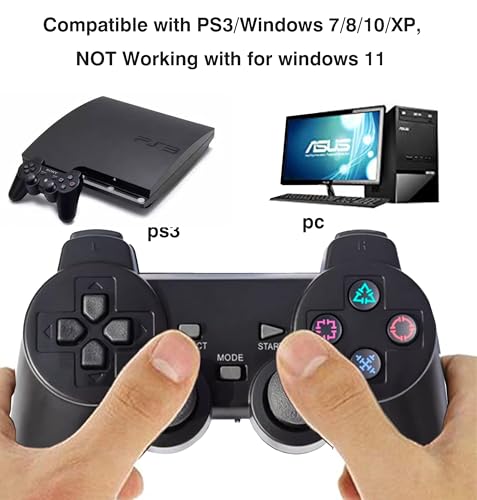
Guil Vim 2.4G USB Wireless game Controller Gamepad Joystick for pc | compatible With WIN98/2000/X/2003VISTA/PC Windows 7/8/10 Built-in battery, six-axis gyroscope(2PCS)


As an Amazon Associate we earn from qualifying purchases. Product prices and availability are accurate as of the date/time indicated.

8Bitdo Ultimate 2 Wireless Controller for PC, Apple, Steam &Android, Purple | TMR Joysticks, Hall/Tactile Triggers, 8Speed 2.4G, 1000Hz Polling Rate, Motion Control, RGB Fire Ring, Charging Dock
As an Amazon Associate we earn from qualifying purchases. Product prices and availability are accurate as of the date/time indicated.
Prices shown are approximate and for reference only. Prices change often, so please check the current price on Amazon before you buy.
Scale figures, licensing models, and prices summarize vendors’ published families at a class level and vary enormously by model, AP count, and agreement; obtain a written five-year quote for your design. Ratings are editorial, weighing architecture, operations tooling, licensing clarity, support, and value by segment.
The Six Wireless Controller Platforms Reviewed
1. Cisco Catalyst 9800: Best Enterprise Campus Controller
The 9800 family is the current center of enterprise WLAN gravity: one operating system, IOS XE, across a rack appliance for the campus, a virtual 9800-CL for private and public cloud, and embedded forms for smaller designs, with the operational model, programmability, and telemetry a Cisco shop’s tooling already speaks. Its FlexConnect and fabric options let an engineer choose the data path per site, its high-availability story is the mature one, and its weakness is the ecosystem’s price of admission: licensing through Cisco’s DNA structures that must be modeled carefully, and a complexity that rewards a trained team and taxes a lone generalist. For the campus and the regulated enterprise, it is the default against which departures must be argued, and most arguments end at its purchase order for sound reasons.
2. Aruba Mobility Controllers: Best Tunneled Campus
Aruba’s controller line remains the connoisseur’s campus platform, with a mature tunneled architecture, deep client and RF visibility, and a management ecosystem, Central above and AirWave’s heritage beneath, that operations teams speak of with genuine affection. Its per-AP licensing is the traditional model in modern dress and must be counted as carefully as Cisco’s subscriptions. Where a design wants centralized traffic handling, sophisticated role-based policy, and a vendor whose entire identity is the WLAN, Aruba is the platform its engineers defend in the design review, and the defense usually succeeds on the troubleshooting evidence this guide told you to demand.
3. Ruckus SmartZone: Best Multi-Site Scale
SmartZone was built for operators: a controller platform whose virtual form scales across tenants, sites, and access point counts that embarrass campus appliances, with an API and a multi-site model that service providers and large distributed enterprises use to run WLAN as a service. Its enterprise polish in the small design is less its point than its behavior in the large one, and its licensing follows the per-AP logic of its class. For the engineer whose problem is not one campus but four hundred locations, or a stadium, or a city, SmartZone is the platform that treats your problem as its home address.
4. Ubiquiti UniFi: Best Value, Honestly Bounded
UniFi is the platform most engineers have actually run, because its controller software is free, its access points are inexpensive, and its interface taught a generation of small-network administrators what centralized WLAN management feels like. For a small business, a school, a hospitality fleet, or a lab, it delivers the essential controller functions, provisioning, monitoring, guest services, firmware management, with no per-AP license, hosted on your own hardware or a UniFi console. Its bounds are equally clear: support is a different creature from Cisco’s or Aruba’s, its enterprise features and troubleshooting depth trail the leaders, and at campus scale its economics stop compensating. Rated for its segment, it is superb. Promoted beyond it, it becomes the most expensive free software in networking, which is a compliment to its quality disguised as a warning.
5. Fortinet WLAN: Best Where the Firewall Already Is
Fortinet’s proposition is consolidation: wireless managed within the same security fabric as the FortiGate firewalls the network already runs, by appliance controller or integrated into the gate itself, with policy, security, and WLAN under one operational roof. For the Fortinet shop, especially across many small and mid-size sites, that consolidation is a real operational saving, one vendor, one policy model, one support call. Its WLAN depth, RF tooling, and access point range do not contest the dedicated leaders’, and a wireless-first evaluation will rank it accordingly. A security-first evaluation, in a Fortinet estate, may rank it first, and both evaluations are rational, which is why it is in this table.
6. TP-Link Omada: Best Budget Enterprise Shape
Omada gives the small network the enterprise controller’s shape, a dedicated hardware controller or free software, centralized management of access points, switches, and gateways, a credible interface, and no per-AP licensing, at prices that make a UniFi comparison a genuine contest. Its ecosystem is younger, its support and advanced features trail both the enterprise leaders and, in places, UniFi’s maturity, and its access points serve the small and mid-size site rather than the stadium. For the cost-bound deployment that wants controller discipline without controller invoices, it is the platform to evaluate second and, often enough, to buy first.
Buying Guide: How to Choose the Best Wireless Controller as a Network Engineer
Step One: Draw the Architecture Before the Shortlist
Write the design’s non-negotiables first: site count and sizes, where traffic must be tunneled and where it must break out locally, what a WAN or controller outage is permitted to do to a site’s WLAN, compliance constraints on cloud management, and the access point count today and at the design’s horizon. That page eliminates platforms more honestly than any feature matrix, because it converts the purchase from a beauty contest into an engineering selection. Then shortlist two platforms, three at most, and evaluate them against the same scripted scenarios, including the failure scenarios, because a controller chosen on its best day will be operated on its worst.
Step Two: Price Five Years, in Writing, at Your AP Count
Build the five-year model for each finalist with the vendor’s or partner’s written numbers: controllers or instances in the redundancy you will actually deploy, per-AP licenses or subscriptions across the growth curve, support tiers, cloud service renewals, and the labor reality of each platform’s operational model as your team honestly assesses it. Ask, in writing, what happens at a lapse: what stops working, what merely stops updating, and what the network looks like on day thirty-one. The answers are contractual facts that belong in the evaluation record, and a vendor who will not write them has written something else in their place. Compare the totals, and let the difference argue with the feature list until one platform is the answer your future self would defend in the post-implementation review.
Step Three: Pilot on One Real Site, With Real Clients
Deploy the chosen platform at one representative site, the awkward one, the warehouse with its metal and its scanners, the office floor with its glass and its density, and run it through a full cycle: provisioning, a firmware campaign, a policy change and its rollback, a client troubleshooting session opened from a real ticket, and a controller failover or outage drill conducted on purpose. Train the team on that pilot until the runbook is theirs, document the licensing and renewal dates into the same system that tracks every other obligation, and only then scale the rollout site by site, with the pilot site as the reference the others are compared against. A wireless controller is a decade of mornings. The engineer who buys it this way will spend those mornings on the network’s problems rather than the platform’s, which is the entire definition of the best in this article’s title.
Frequently Asked Questions About Wireless Controllers
Do I still need a hardware wireless controller?
Not necessarily, and the honest answer is architectural rather than generational. A hardware appliance earns its place where traffic is tunneled and must be terminated at scale, where the management plane must live entirely on premises for compliance or policy, or where a campus design is built around its capacity and redundancy. A virtual controller serves the same logic inside your own virtualization or cloud tenancy, with your infrastructure providing the resilience. A cloud-managed platform removes the controller from your rack entirely and suits distributed sites whose access points run autonomously. What you cannot remove is the controller’s functions, provisioning, policy, monitoring, troubleshooting, which will live in one of those three homes and should be placed by your design’s requirements, your outage tolerance, and your regulator, not by a vendor’s current fashion or a forum’s.
How many access points can one controller manage?
It varies by orders of magnitude across this table, from the small software controllers comfortably managing dozens to low hundreds of access points, through campus appliances in the thousands, to SmartZone-class platforms addressing tens of thousands across tenants, and the published maximum is rarely the number you should design to. The operative limits are usually elsewhere: the tunneled throughput a controller can forward if your design tunnels, the client count and its session tables, the failover capacity that must absorb a partner’s full load, and the operational sanity of one failure and change domain. Design to the vendor’s validated scale for your architecture, hold headroom for the growth the business has already promised the business, and remember that two mid-size controllers in a redundant pair are commonly a better network than one maximum-size controller being one all morning a year.
Cisco, Aruba, or UniFi: which should a growing organization choose?
Choose by the network you are becoming, priced over five years. UniFi serves, superbly, the organization whose WLAN is a utility across small sites, whose team is small, and whose requirements are provisioning, reliability, and value; its ceiling appears as compliance demands, deep troubleshooting, formal support obligations, and campus scale enter the requirements. Cisco’s Catalyst 9800 and Aruba’s controllers serve the organization crossing that ceiling, with the campus depth, policy sophistication, support structures, and price structures of the enterprise tier, between which the choice is made on your existing estate, your team’s skills, and the five-year written quote rather than on any universal ranking. The expensive mistake, in both directions, is buying the tier you are not: enterprise licensing strangling a small network’s budget, or a value platform discovered, at scale, to be missing the one feature the regulator asked about. Requirements first, platforms second, and the answer is usually obvious by the second page of your own design document.
What happens to my Wi-Fi if the controller goes down?
It depends on the architecture you chose, which is why this guide made it the first question. In a locally bridged or cloud-managed design, access points generally continue serving clients with their running configuration through a controller or management outage, with changes, new provisioning, and some services, captive portals and certain authentication paths depending on design, paused until management returns. In a tunneled design, the controller is in the data path, and its loss is the WLAN’s loss unless the redundancy you deployed, a high-availability pair, stateful failover, a survivable remote design, carries the load, which is why tunneled architectures budget their controllers in pairs without being asked twice. Establish your platform’s exact behavior from the vendor’s documentation, test it in the pilot by pulling the plug on purpose, and write the result in the runbook, because the middle of the real outage is the worst classroom networking offers, and the engineers who studied beforehand are recognizable by their calm.
Related guides
- Best Printer for Windows Compatibility Guide in 2026: 7 Steps to Choose a Printer That Works With Windows 11, With a WHQL Driver, USB, and WiFi, for a PC, Without a Printer That Needs a Driver That Does Not Exist, or a Printer That Drops WiFi
- Wired Backhaul vs Wireless Backhaul for Mesh in 2026: Wired Backhaul vs Wireless Backhaul for Mesh
- Best NAS for Home Video Streaming: 6 Best NAS for Home Video Streaming Picks in 2026
- Best SD Card vs USB Drive for Printer Transfers: 6 Best SD Card vs USB Drive for Printer Transfers Picks in 2026
More from Amazon
Programs that pair well with the guide above. Offers and eligibility are set by Amazon and may change.
Free shipping on eligible items, Prime Video and more. Eligible new members can start with a free trial.
Start a Prime free trialAd-free music streaming. Eligible new subscribers can start with a free trial.
Try Music Unlimited freeA Prime membership for ages 18-24 with a trial period. Eligibility is set by Amazon.
See Prime for Young AdultsAudiobooks and podcasts to listen to on the go. Eligible new members can start with a free trial.
Try Audible freeAs an Amazon Associate we earn from qualifying purchases.








Write Your Review
No reviews yet. Be the first to share your experience!