
What's inside
- Best Cheap Travel Mini PC for Travelers: What Makes a Mini PC a Travel Machine
- Quick Comparison: Cheap Travel Mini PCs Compared
- The Six Cheap Travel Mini PCs Reviewed
- Buying Guide: Price the Configuration You Will Actually Use, and Pack the Kit Around It
- How We Selected These Travel Mini PCs
- Frequently Asked Questions: Cheap Travel Mini PCs
As an Amazon Associate I earn from qualifying purchases. This post may contain affiliate links at no extra cost to you.
The best cheap travel mini pc for travelers is a small idea with a strict definition: a complete desktop computer, small and light enough to ride in a carry-on or even a jacket pocket, cheap enough that losing it would sting rather than ruin a trip, and capable enough to run a hotel television, a rented apartment’s monitor, or a coworking desk as if it were your own machine. It is not a laptop replacement for everyone, and this guide will not pretend otherwise. It is the traveler’s second computer, the media and work box that plugs into whatever screen the destination provides, keeps the main laptop safe in the bag or at home, and turns a television into a workstation, a streaming centre, and a photo backup station in one move.
The category has become genuinely good at the cheap end because the processors in these small boxes are now efficient enough to handle office work, browsing with many tabs, video calls, media playback, and light photo editing without heat or noise drama, while drawing so little power that a common USB-C supply or the maker’s compact adapter travels easily. The traps are equally clear. Some boxes ship with storage or memory that cannot be upgraded, which shortens their useful life. Some quote a headline price for a bare configuration that nobody should buy. Some skimp on Wi-Fi or ports, which matters far more on the road than at a desk, where a missing HDMI output or a weak wireless card cannot be fixed with the drawer of cables you have at home. And every mini PC needs a screen, keyboard, and mouse at the destination, so the honest comparison always includes how you will provide them.
This guide grades the current cheap travel mini PCs on the figures that decide a trip: size and weight, processor class, memory and storage as actually configured, ports for hotel televisions and borrowed monitors, wireless quality, power supply practicality, and the total price of the configuration worth buying, stated as ranges throughout. It then gives a buying method that starts with your travel pattern, because the digital nomad working eight hours a day from rentals, the business traveler presenting in meeting rooms, and the holiday traveler backing up photos and streaming films are buying three different machines that happen to share a shape.
Our Top Picks
 Leelosp 300 Pcs Travel Laundry Detergent Packets Individual0.25 Fl Oz (Pack of 300)11.81 x 7.48 x 5.71 inchesCheck on Amazon
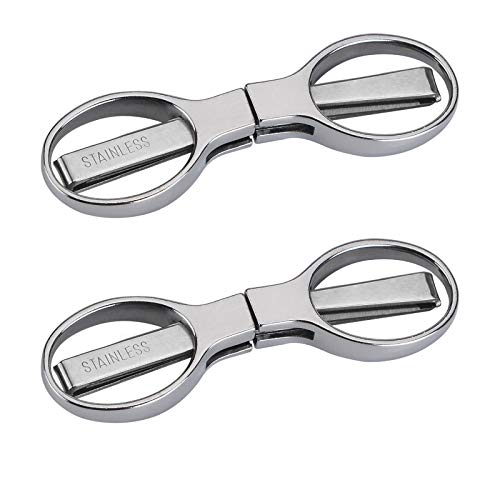 Friker Folding ScissorsStainless Steel Non-hangable0.56 x 0.35 x 0.27 inches0.1 poundsCheck on Amazon
Best Cheap Travel Mini PC for Travelers: What Makes a Mini PC a Travel Machine
Size, Weight, and Power for the Best Cheap Travel Mini PC for Travelers
A travel mini PC earns its place in the bag by disappearing. The best of the cheap models are roughly the size of a thick paperback or smaller, light enough that you notice the power supply more than the computer, and happy to mount behind a television or monitor with the bracket many makers include. Check the dimensions and weight the maker publishes for the exact model, and then check the adapter with the same care: a compact supply with a detachable cable travels well, while a bulky brick quietly eats the space the small computer saved. Models that can run from USB-C power delivery offer a special travel advantage, since one good charger can serve the mini PC, a phone, and a tablet, but only choose that route where the maker supports it; an underpowered supply produces shutdowns under load that look like faults.
Heat and noise matter in a hotel room. These small boxes cool a modest processor with a small fan, and the well-made ones stay quiet during browsing, documents, and video, becoming audible only under sustained heavy work. In a rental where the mini PC sits on the desk beside the bed, that restraint is worth more than a small benchmark advantage from a model that spins up at every task. Passive or near-silent behaviour at light load is therefore a travel feature, not a luxury.
Performance, Memory, and Storage for the Best Cheap Travel Mini PC for Travelers
For travel work, the processor class sets the ceiling and the memory sets the comfort. Current efficient laptop-class and low-power desktop-class chips in these boxes handle office suites, web applications, video calls, and media with ease, and the stronger rows in the table add comfortable headroom for photo editing, light development work, and many-tab research. Memory is the figure buyers most often underbuy: the smallest configurations cope, but a mid-level memory figure keeps browsers and documents fluid for years, and it is the cheapest longevity you can purchase. Where a model allows a memory upgrade later, that path is valuable; where it is soldered, buy the figure you will need at the end of its life, not the start.
Storage follows the same logic. The operating system, applications, and a working set of files consume more space than the headline suggests, and a traveler adds photos, downloaded media, and offline documents on top. Choose a configuration with room to spare, prefer a model whose solid-state drive can be replaced or supplemented, and keep a backup habit that does not depend on the box itself: an external drive or cloud copy of the trip’s photos and documents, encrypted where the material is sensitive, because a small computer is also an easy computer to lose. Use a reputable security suite, keep the system updated on trusted networks, and treat hotel Wi-Fi with the usual caution, using your own hotspot or a trusted VPN service for sensitive work.
Ports and Wireless for the Best Cheap Travel Mini PC for Travelers
On the road, ports are destiny. One HDMI output is the minimum for a hotel television; a second display output, by HDMI or USB-C with display support, turns a borrowed monitor plus the room’s television into a dual-screen desk and makes presenting while keeping your notes visible far easier. Front USB ports matter for the receiver of a travel keyboard and mouse set, a card reader for camera media, and the inevitable borrowed flash drive. A wired network port, absent from your hotel room in spirit even when present on the wall, still earns its place in coworking spaces and rentals, and it rescues the day when the Wi-Fi is poor. Wireless itself should be a current standard from a reputable radio, with Bluetooth for the keyboard, mouse, and headphones you actually travel with.
Pack the parish around the box with the same discipline: a short HDMI cable, because the one in the room is either missing or three feet too far from the desk; a compact wireless keyboard with a trackpad, which serves both the desk and the sofa; and a small hub only if your chosen model truly lacks a port you need. The whole kit should fit in the space a pair of shoes would take, or the concept has failed.
Quick Comparison: Cheap Travel Mini PCs Compared
| Mini PC | Best For | Key Specs | Typical Price Range | Rating |
|---|---|---|---|---|
| Beelink Mini S12 Pro | Value — best cheap travel mini pc for travelers overall | Intel N100 class processor, 16GB memory and 500GB-class SSD in common configurations, dual HDMI, Wi-Fi 6, Bluetooth, compact low-power design | $170 – $230 | 4.6 / 5 |
| GMKtec NucBox G3 | Smallest kit — best pocket-size parish | Intel N100 class processor, memory and SSD configurations vary, dual HDMI, Wi-Fi 6, Bluetooth, very small chassis | $150 – $210 | 4.4 / 5 |
| Beelink SER5 | Performance — best for heavier travel work | AMD Ryzen 5 5000-series class processor, 16GB memory and 500GB-class SSD in common configurations, dual display outputs, Wi-Fi 6 | $260 – $340 | 4.6 / 5 |
| KAMRUI AK1 Plus | Budget — best low-price parish | Intel N100 class processor, 16GB memory and 512GB-class SSD in common configurations, dual HDMI, Wi-Fi and Bluetooth | $150 – $200 | 4.3 / 5 |
| Minisforum UN100 | Quiet office — best desk-in-a-rental parish | Intel N100 class processor, 16GB memory and 512GB-class SSD in common configurations, multiple display outputs, wired networking | $180 – $240 | 4.4 / 5 |
| ACEMAGIC S1 | Front display — best for media and hotel TV use | Intel N100 class processor, memory and SSD configurations vary, dual HDMI, small chassis with front status display on many configurations | $160 – $220 | 4.3 / 5 |

cleaings® 48 Pcs Disposable Mini Toothbrush - Pre-Pasted with Mint Toothpaste & Toothpick - Travel Size Toiletries - 2 Packs of 24 - Mint Flavor
As an Amazon Associate we earn from qualifying purchases. Product prices and availability are accurate as of the date/time indicated.
Leelosp 300 Pcs Travel Laundry Detergent Packets Individual 0.25 oz | Single Use, Travel Size Laundry Detergent Bulk, Portable Liquid Soap, for Traveler Hostel Essentials Cleaning


As an Amazon Associate we earn from qualifying purchases. Product prices and availability are accurate as of the date/time indicated.
Friker Folding Scissors,Portable Telescopic Cutter Pocket Badge Scissors | 2 Pcs Mini Safe Silver Foldable Scissors for Household, Office, Handcrafts, Sewing, Nurse Use, Travel and Fishing


As an Amazon Associate we earn from qualifying purchases. Product prices and availability are accurate as of the date/time indicated.
Prices shown are approximate and for reference only. Prices change often, so please check the current price on Amazon before you buy.
Ratings are editorial assessments based on makers’ published specifications for common retail configurations and value at typical prices. Configurations vary widely in this category; always price the exact memory and storage version, not the headline entry model.
The Six Cheap Travel Mini PCs Reviewed
1. Beelink Mini S12 Pro — Best Overall
Beelink’s S12 Pro is the reference cheap travel box: an efficient processor, the sensible memory and storage configuration sold as standard, two display outputs for hotel screens, current wireless, and a price that keeps it in the accessory class. For most travelers it is the audit’s end.
2. Beelink SER5 — Best Performance Step-Up
The SER5 buys real headroom with its stronger processor class while staying small and travel-friendly. Choose it if the trip involves photo work, development, or long days of heavy multitasking, and accept the higher price and power draw as the honest cost.
3. GMKtec NucBox G3 — Best Pocket Size
The NucBox G3 presses the concept to its smallest useful form, a genuine pocket computer with the ports a traveler needs. It suits the lightest kits and the traveler who values space above upgrade paths.
4. Minisforum UN100 — Best Rental-Desk Citizen
Minisforum’s UN100 is a composed office machine in miniature, with the wired and display connections a longer stay rewards. It is the natural pick for the nomad who sets up a real desk in each rental.
5. KAMRUI AK1 Plus — Best Budget
The AK1 Plus delivers the essential specification at the floor of the sensible price range. It is the right answer when the mini PC is a second machine for media, browsing, and documents and the budget is the point.
6. ACEMAGIC S1 — Best Media Parish
The S1 leans toward the television, with a handy front display on many configurations and the connections hotel use demands. For the holiday traveler whose box is mainly a streaming and photo station, it holds its place.
Buying Guide: Price the Configuration You Will Actually Use, and Pack the Kit Around It
Step One: Write Your Travel Pattern
Define the trip before the shelf. Note how many days a year the machine will travel, what work it must do, what screens you realistically find, and whether it is your only computer on the road or a companion to a laptop. Note your total budget for the whole kit, box, keyboard with trackpad, cables, and case together, because a mini PC bought without its parish is a paperweight until the rest arrives. This one paragraph decides the processor class, the memory figure, and whether the value rows or the performance row deserve your money.
Step Two: Audit the Exact Configuration
In this category the listing is a family, not a product, so audit the precise version in the basket: processor model, memory figure and whether it can be upgraded, storage size and type, the number and kind of display outputs, the wireless standard, and the power supply’s size and connector. Compare total prices of equivalent configurations across makers, not headline prices of unequal ones. Check the maker’s warranty and returns position for your country, since a cheap box bought from an unreachable seller is expensive the first time it fails abroad. Refuse configurations with memory or storage below the level your work needs today; they are the false economy this category specialises in.
Step Three: Build the Kit, Test It at Home, Back It Up
Assemble the whole travel kit and run it for an evening at home on your own television: set up the accounts, the updates, the streaming services, the work applications, and the backup routine while the stakes are low. Confirm the keyboard and trackpad set, the HDMI cable length, and the charger’s behaviour under load. Set a device password, turn on encryption where your edition supports it, enable find-my-device or note the serial, and copy anything irreplaceable to a second place. Pack the box and its parish in one pouch in your carry-on, never in checked luggage, and keep the power supply where you can reach it. A mini PC prepared this way turns up at the destination as a known machine, not a project.
How We Selected These Travel Mini PCs
We included only real, named, currently sold mini PCs whose makers publish processor, memory, storage, port, and wireless specifications, concentrating on efficient models small enough for carry-on travel at budget prices. Prices are typical retail ranges for the common configurations described. Ratings weight travel practicality, configuration honesty, and ports first, then performance headroom, quietness, and value.
Frequently Asked Questions: Cheap Travel Mini PCs
Can a cheap mini PC really replace a laptop on a trip?
For desk-based travel work, largely yes; for work anywhere, no. Wherever a screen and a surface exist, a mini PC from this table runs documents, browsing, calls, media, and light creative work with complete competence, and a hotel television is a far larger display than any laptop offers. What it cannot do is work on a train tray, in a departure lounge without a screen, or anywhere away from a socket and a display. Most travelers therefore use it as the destination computer and keep a laptop or tablet for the journey itself, or choose it for long stays in one place, where its comfort and price beat a laptop’s compromises.
How much memory and storage should I choose?
Buy for the end of the machine’s life. A mid-level memory configuration, of the size sold as standard in most rows of this table, keeps a browser with many tabs, office applications, and a call running together without strain, and it is the single best longevity purchase in this category. For storage, leave clear headroom over the system, your applications, and your working files, then add the trip’s appetite for photos and offline media; a configuration that arrives nearly full will slow your whole routine of backups and updates. Where the drive can be replaced later, the pressure eases; where nothing is upgradeable, be generous now.
Will a mini PC work with a hotel television?
Usually, and it is the category’s party trick. Connect by HDMI, set the television to that input, and the mini PC treats it as a monitor; a wireless keyboard with a trackpad makes the setup comfortable from the bed or sofa. Two honest cautions apply. Some hotels restrict inputs or use systems that make switching awkward, and a few televisions overscan the picture until a setting is changed in the display options. Carry your own short HDMI cable, test the arrangement at home first as step three describes, and have the laptop or a streaming stick as a fallback for the rooms where the television will not cooperate.
Is it safe to do work and banking on a travel mini PC?
The machine itself can be made as safe as any home computer: keep the system and applications updated, use strong account passwords with two-factor sign-in, encrypt the drive where supported, and lock it when you step away. The risk lives in the journey rather than the box: untrusted networks, a borrowed charger cable, and the simple fact that a small computer is easy to steal. Use your phone’s hotspot or a trusted VPN service for sensitive work, never leave the machine visible in an empty room, back up irreplaceable material to a second place, and make sure you could lose the box tomorrow and lose only the hardware. Set up that way, a travel mini PC is a prudent machine, and its low price is itself a security feature.
Related guides
- Best Mini Drone for Office Travel in 2026: Under the Registration Threshold, Quiet Enough for a Hotel Courtyard, and Packed in the Same Bag as the Laptop
- Best USB Flash Drive vs Portable SSD for Offices in 2026: 7 USB Flash Drives and Portable SSDs Compared for Speed, Capacity, and Reliable Office Storage
- Best High End Tablet for Photographers in 2026: Best High End Tablet for Photographers
- Best Small Router for Tiny Apartments in 2026: Best Small Router for Tiny Apartments
More from Amazon
Programs that pair well with the guide above. Offers and eligibility are set by Amazon and may change.
Free shipping on eligible items, Prime Video and more. Eligible new members can start with a free trial.
Start a Prime free trialAd-free music streaming. Eligible new subscribers can start with a free trial.
Try Music Unlimited freeA Prime membership for ages 18-24 with a trial period. Eligibility is set by Amazon.
See Prime for Young AdultsAudiobooks and podcasts to listen to on the go. Eligible new members can start with a free trial.
Try Audible freeAs an Amazon Associate we earn from qualifying purchases.

Write Your Review
No reviews yet. Be the first to share your experience!