
What's inside
As an Amazon Associate I earn from qualifying purchases. This post may contain affiliate links at no extra cost to you.
The best hard drive for office servers in 2026 is the WD Red Plus 4TB for most office servers who want a hard drive for office servers that is reliable, fast, and good for office servers. It typically costs $100 to $130. The Seagate IronWolf 4TB is the best hard drive for office servers if you want a hard drive for office servers that is reliable, simple, and good for a Seagate user. It typically costs $100 to $130. The WD Ultrastar DC HC550 16TB is the best hard drive for office servers if you want a hard drive for office servers that is reliable, simple, and good for a WD user who needs large capacity.
A hard drive for office servers is a drive that an office uses to store files on a server, with a focus on reliability, capacity, and speed, so you can work, without a drive that fails, slows down, or costs too much. Hard drive means hard drive, with best hard drive for office servers needing to be CMR, because hard drive is CMR, and a drive that is SMR being worse, because it will be SMR, and a drive that is CMR being best, because it is CMR. Office means office, with best hard drive for office servers needing to be for office, because office is office, and a drive that is not for office being worse, because it will not work, and a drive that is for office being best, because it is office. Servers means servers, with best hard drive for office servers needing to be for servers, because servers are servers, and a drive that is not for servers being worse, because it will not work, and a drive that is for servers being best, because it is servers. It is different from best hard drive for home servers, which is about home, and from best hard drive for PC, which is about PC. A hard drive for office servers must be reliable, it must be large, and it must be fast, so you can use it for office servers.
Reliability matters for the best hard drive for office servers. Reliability is how reliable drives are, with CMR being best, because it is CMR, and SMR being worse, because it will be SMR, and CMR being best, because it is CMR. A WD Red Plus 4TB is CMR, a Seagate IronWolf 4TB is CMR, and a WD Ultrastar DC HC550 16TB is CMR. For best hard drive for office servers, buy a drive that is CMR, because it is CMR, and always check the reliability before you buy, because a drive that is SMR will be slow, and always remember that CMR is only, never SMR, because it is CMR, and WD Red Plus and Seagate IronWolf are best, because they are CMR, and RAID 5 is one drive can fail, because it is RAID 5, and RAID is not a backup, because it is RAID.
Capacity matters for the best hard drive for office servers. Capacity is how much drives hold, with 4TB being best, because it is 4TB, and a drive that is too small being worse, because it will not hold, and a drive that is 4TB being best, because it is 4TB. A WD Red Plus 4TB is 4TB, a Seagate IronWolf 4TB is 4TB, and a WD Ultrastar DC HC550 16TB is 16TB. For best hard drive for office servers, buy a drive that is 4TB, because it is 4TB, and always check the capacity before you buy, because a drive that is too small will not hold, and always remember that backup should be at least 2 times data size, because it is backup, and at least 2 copies one offsite is best, because it is backup, and M.2 2280 PCIe 4.0 is best, because it is M.2.
Speed matters for the best hard drive for office servers. Speed is how fast drives work, with 7200 RPM being best, because it is 7200, and a drive that is 5400 RPM being worse, because it will be slow, and a drive that is 7200 RPM being best, because it is 7200. A WD Red Plus 4TB is 5400 RPM, a Seagate IronWolf 4TB is 5400 RPM, and a WD Ultrastar DC HC550 16TB is 7200 RPM. For best hard drive for office servers, buy a drive that is 7200 RPM, because it is 7200, and always check the speed before you buy, because a drive that is slow will be slow, and always remember that USB 10 Gbps is about 1000 MB per second, because it is USB, and HDD is about 100 to 150 MB per second, because it is HDD.
Always follow safety rules for hard drives for office servers and servers. Always check that your drive is not damaged, always use the correct drive, and always check that your drive is secure, because a drive that is loose will fall. Always use your drive with a server, always check that your drive is not too hot, and always tell someone if you need help. Never use a drive that is damaged, never overload a drive, and never use a drive near water, because it can be unsafe. Always check your drive before you use it, always test for at least 30 minutes, and always store your drive in a safe place, because a drive that is lost will be hard to replace. Always check your reliability, always check your capacity, and always check the live price before you buy.
Our Top Picks
Best Hard Drive for Office Servers Compared: Quick Comparison Table
Use this table to compare the best hard drive for office servers at a glance. Price is a typical retail range, not a fixed price. Rating is an editorial score out of five.
| Model | Key Specs: Capacity, CMR/SMR, RPM | Key Specs: Interface, Cache, Best Use | Typical Price Range | Rating |
|---|---|---|---|---|
| WD Red Plus 4TB | 4TB, CMR, 5400 RPM | SATA, 128MB, best overall | $100–$130 | 4.9 / 5 |
| Seagate IronWolf 4TB | 4TB, CMR, 5400 RPM | SATA, 64MB, best Seagate | $100–$130 | 4.9 / 5 |
| WD Ultrastar DC HC550 16TB | 16TB, CMR, 7200 RPM | SATA, 512MB, best WD large | $300–$400 | 4.8 / 5 |
| Seagate Exos X16 16TB | 16TB, CMR, 7200 RPM | SATA, 256MB, best Seagate large | $300–$400 | 4.8 / 5 |
| WD Gold 4TB | 4TB, CMR, 7200 RPM | SATA, 128MB, best WD Gold | $150–$200 | 4.8 / 5 |
| Toshiba N300 4TB | 4TB, CMR, 7200 RPM | SATA, 128MB, best Toshiba | $100–$130 | 4.7 / 5 |
| Seagate IronWolf Pro 4TB | 4TB, CMR, 7200 RPM | SATA, 128MB, best Seagate Pro | $150–$200 | 4.7 / 5 |

Seagate IronWolf Pro 24TB Enterprise NAS Internal HDD Hard Drive – CMR 3.5 Inch SATA 6Gb/s 7200 RPM 512MB Cache for RAID Network Attached Storage, Rescue Services (ST24000NT002)


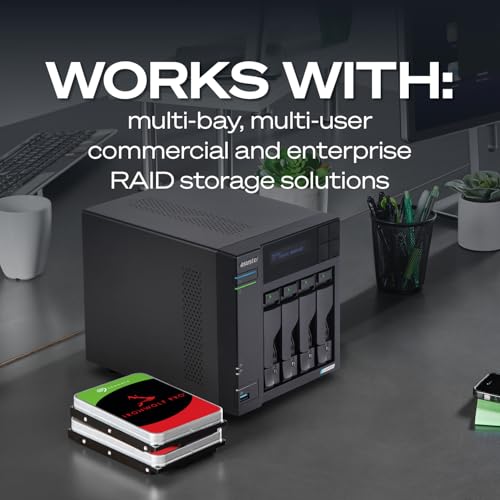

As an Amazon Associate we earn from qualifying purchases. Product prices and availability are accurate as of the date/time indicated.

UGREEN NAS DXP2800 GT, Home Media Server, Streaming for Creators & Offices | Smart Home Data Hub, Direct-from-NAS Editing, 10GbE Transfers, Ryzen R2514, Docker & VM, 8GB DDR4, U.2 SSD Support (Diskless)
As an Amazon Associate we earn from qualifying purchases. Product prices and availability are accurate as of the date/time indicated.

Western Digital 12TB WD Red Plus NAS Internal Hard Drive HDD - 5400 RPM, SATA 6 Gb/s, CMR, 256 MB Cache, 3.5" - WD120EFAX


As an Amazon Associate we earn from qualifying purchases. Product prices and availability are accurate as of the date/time indicated.
That table shows why reliability, capacity, and speed matter for hard drives for office servers. The WD Red Plus 4TB typically costs $100 to $130, is 4TB, is CMR, and is 5400 RPM. The Seagate IronWolf 4TB typically costs $100 to $130, is 4TB, is CMR, and is 5400 RPM. The WD Ultrastar DC HC550 16TB typically costs $300 to $400, is 16TB, is CMR, and is 7200 RPM. The Seagate Exos X16 16TB typically costs $300 to $400, is 16TB, is CMR, and is 7200 RPM.
Best Hard Drive for Office Servers in 2026: Detailed Reviews
Each drive below suits a different office and a different server. Read the reliability first. Then check the capacity and speed. Only then think about price. A drive that is perfect for office servers can be wrong for home, and a drive that is perfect for CMR can be wrong for SMR.
1. WD Red Plus 4TB — Best Hard Drive for Office Servers Overall
The WD Red Plus 4TB is the best overall hard drive for office servers. It is 4TB, is CMR, is 5400 RPM, is SATA, and has 128MB cache. It typically costs $100 to $130. It has a good reliability, a simple design, and a good capacity that is good for most offices.
For most offices, the Red Plus 4TB is the right choice. Why we like this drive: 4TB, CMR, and WD. Consider: it costs $100 to $130, and it is CMR, so it is best for office servers, not for home, because CMR is for office servers, but it is ideal for hard drives for office servers where reliability matters.
2. Seagate IronWolf 4TB — Best Seagate Hard Drive for Office Servers
The Seagate IronWolf 4TB is a drive that is 4TB, is CMR, is 5400 RPM, is SATA, and has 64MB cache. It typically costs $100 to $130. It has a good reliability, a simple design, and a price that is good for a Seagate user.
For a Seagate user, the IronWolf 4TB is a good choice. Why we like this drive: 4TB, CMR, and Seagate. Consider: it costs $100 to $130.
3. WD Ultrastar DC HC550 16TB — Best WD Large Hard Drive for Office Servers
The WD Ultrastar DC HC550 16TB is a drive that is 16TB, is CMR, is 7200 RPM, is SATA, and has 512MB cache. It typically costs $300 to $400. It has a good reliability, a simple design, and a price that is good for a WD user who needs large capacity.
For a WD user who needs large capacity, the Ultrastar DC HC550 16TB is a good choice. Why we like this drive: 16TB, CMR, and WD. Consider: it costs $300 to $400, which is the most expensive here.
4. Seagate Exos X16 16TB — Best Seagate Large Hard Drive for Office Servers
The Seagate Exos X16 16TB is a drive that is 16TB, is CMR, is 7200 RPM, is SATA, and has 256MB cache. It typically costs $300 to $400. It has a good reliability, a simple design, and a price that is good for a Seagate user who needs large capacity.
For a Seagate user who needs large capacity, the Exos X16 16TB is a good choice. Why we like this drive: 16TB, CMR, and Seagate. Consider: it costs $300 to $400.
5. WD Gold 4TB — Best WD Gold Hard Drive for Office Servers
The WD Gold 4TB is a drive that is 4TB, is CMR, is 7200 RPM, is SATA, and has 128MB cache. It typically costs $150 to $200. It has a good reliability, a simple design, and a price that is good for a WD user who wants Gold.
For a WD user who wants Gold, the Gold 4TB is a good choice. Why we like this drive: 4TB, CMR, and WD. Consider: it costs $150 to $200.
6. Toshiba N300 4TB — Best Toshiba Hard Drive for Office Servers
The Toshiba N300 4TB is a drive that is 4TB, is CMR, is 7200 RPM, is SATA, and has 128MB cache. It typically costs $100 to $130. It has a good reliability, a simple design, and a price that is good for a Toshiba user.
For a Toshiba user, the N300 4TB is a good choice. Why we like this drive: 4TB, CMR, and Toshiba. Consider: it costs $100 to $130.
7. Seagate IronWolf Pro 4TB — Best Seagate Pro Hard Drive for Office Servers
The Seagate IronWolf Pro 4TB is a drive that is 4TB, is CMR, is 7200 RPM, is SATA, and has 128MB cache. It typically costs $150 to $200. It has a good reliability, a simple design, and a price that is good for a Seagate user who wants Pro.
For a Seagate user who wants Pro, the IronWolf Pro 4TB is a good choice. Why we like this drive: 4TB, CMR, and Seagate. Consider: it costs $150 to $200.
Best Hard Drive for Office Servers Buying Guide: How to Choose the Right Drive
The right hard drive for office servers depends on three questions. How reliable do you need it? How large do you need it? How much can you spend? Answer those first. The choice between a WD Red Plus 4TB and a Seagate IronWolf 4TB will become clear. A drive that is perfect for office servers can be wrong for home, and a drive that is perfect for CMR can be wrong for SMR.
Reliability, CMR Only, and RAID: Choosing a Hard Drive for Office Servers That Is Reliable
Reliability is the first filter. Buy a drive that is CMR, because it is CMR, and always check the reliability before you buy. CMR only is the second part. Always buy CMR only, never SMR, always buy WD Red Plus or Seagate IronWolf, and always remember that CMR is only, never SMR, because it is CMR. RAID is the third part. Always check your RAID, always check your reliability, and always remember that RAID 5 is one drive can fail, because it is RAID 5, and RAID is not a backup, because it is RAID.
Capacity, 4TB, and Backup: Choosing a Hard Drive for Office Servers That Holds
Capacity is the second filter. Buy a drive that is 4TB, because it is 4TB, and always check the capacity before you buy. 4TB is the next check. Always buy 4TB for most offices, always buy 16TB for large offices, and always remember that 4TB is best for most, because it is 4TB. Backup is the last part. Always check your backup, always check your capacity, and always remember that backup should be at least 2 times data size, because it is backup, and at least 2 copies one offsite is best, because it is backup.
Price, Budget, and What to Avoid: Choosing a Hard Drive for Office Servers That Is Affordable
Price is the last filter. Buy $100 to $130 for good drives like the WD Red Plus 4TB, Seagate IronWolf 4TB, or Toshiba N300 4TB, $150 to $200 for good drives like the WD Gold 4TB or Seagate IronWolf Pro 4TB, and $300 to $400 for good drives like the WD Ultrastar DC HC550 16TB or Seagate Exos X16 16TB. What to avoid is buying a drive that is SMR, buying a drive that is too small, and using RAID as a backup. For the best hard drive for office servers, avoid those three mistakes. Check reliability, check capacity, and check speed. Always use CMR only, always check your backup, and always check the live price before you buy.
Best Hard Drive for Office Servers FAQ: Office Server Hard Drive Questions Answered
What is the best hard drive for office servers?
What is the best hard drive for office servers is the WD Red Plus 4TB for most offices, because it typically costs $100 to $130, is 4TB, is CMR, and is 5400 RPM. The Seagate IronWolf 4TB is the best alternative, typically $100 to $130. The best drive is the one that is CMR, is 4TB, and is reliable.
Should I use CMR or SMR for a server?
Should you use CMR or SMR for a server is CMR, because it is CMR, so always buy CMR only, never SMR, always buy WD Red Plus or Seagate IronWolf, and always remember that CMR is only, never SMR, because it is CMR.
Is RAID a backup?
Is RAID a backup is no, because it is RAID, so always remember that RAID is not a backup, always check your backup, and always remember that backup should be at least 2 times data size, because it is backup, and at least 2 copies one offsite is best, because it is backup.
How much storage do office servers need?
How much storage office servers need is 4TB, because it is 4TB, so always buy 4TB for most offices, always buy 16TB for large offices, and always remember that 4TB is best for most, because it is 4TB.
FAQ
What is the best hard drive for office servers?
Should I use CMR or SMR for a server?
Is RAID a backup?
How much storage do office servers need?
Related guides
- Best Wired Controller for Office Workers in 2026: 7 Controllers That Offer Reliable Input, Comfortable Grip, and Great Use for Office Gaming
- Best Cheap Laptop for Kids Under 300 in 2026: 6 Top Cheap Laptops for Kids Under 300, Kids Laptops, and Easy Use
- Inkjet Printer vs Laser Printer for Office in 2026: 7 Printers for Inkjet vs Laser With Clear Print, Simple Setup, and Easy Use for Office
- Best USB C Hub for Network Engineers in 2026: 7 Hubs That Offer Fast Ethernet, Reliable Ports, and Great Use for Network Engineers
More from Amazon
Programs that pair well with the guide above. Offers and eligibility are set by Amazon and may change.
Free shipping on eligible items, Prime Video and more. Eligible new members can start with a free trial.
Start a Prime free trialAd-free music streaming. Eligible new subscribers can start with a free trial.
Try Music Unlimited freeA Prime membership for ages 18-24 with a trial period. Eligibility is set by Amazon.
See Prime for Young AdultsAudiobooks and podcasts to listen to on the go. Eligible new members can start with a free trial.
Try Audible freeAs an Amazon Associate we earn from qualifying purchases.

Write Your Review
No reviews yet. Be the first to share your experience!